IdeaVaultHQ Template School
How To Choose a Canva Template Niche That Etsy Buyers Actually Search For
A practical tutorial for finding one focused Canva template lane using public demand signals, Etsy search clues, and a scorecard you can reuse for every future product.
Quick answer: Start with the buyer problem, not the palette. Score the niche, check search intent, build one Canva product lane, and publish one listing that proves the idea before you expand.
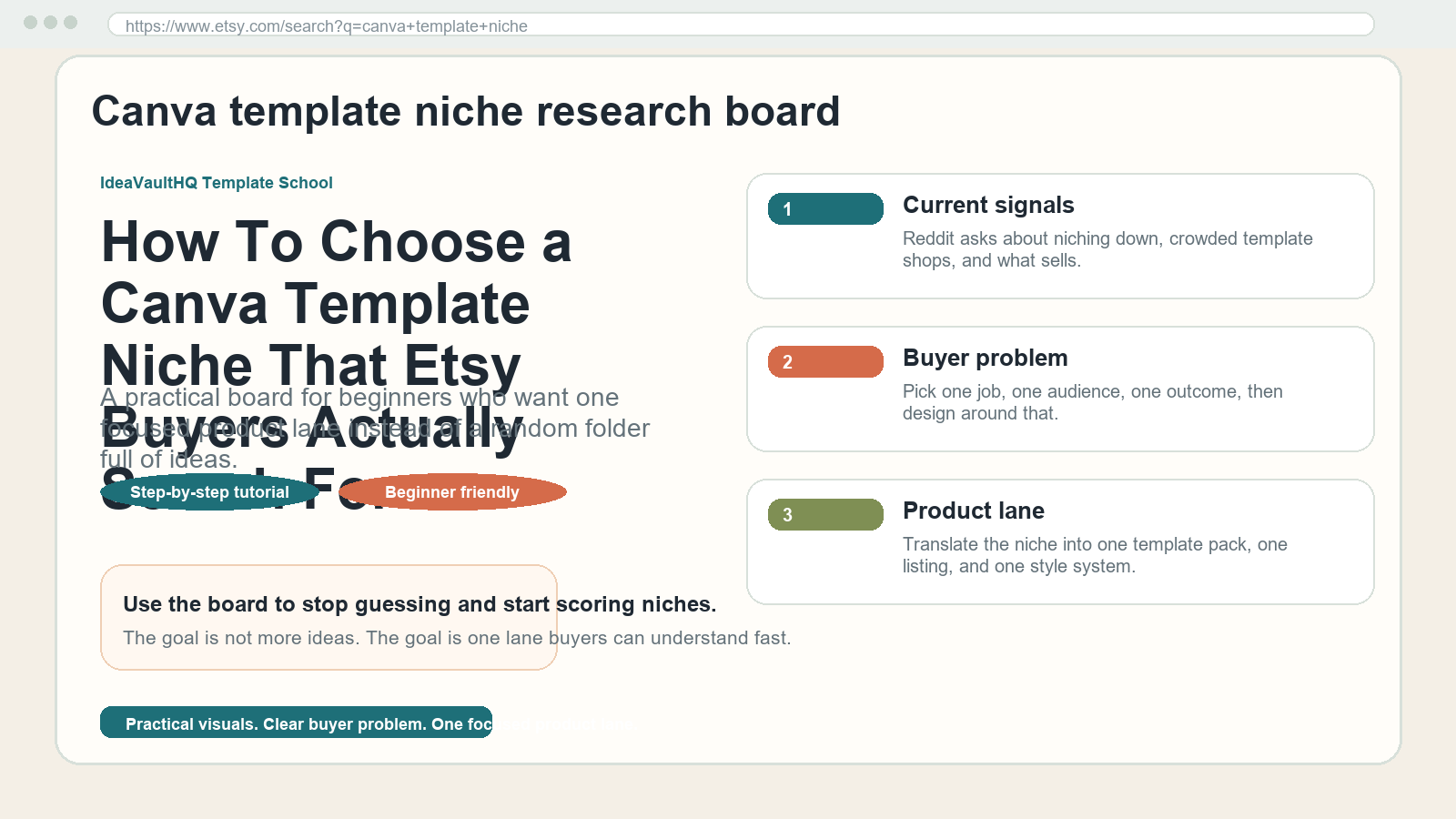
Quick answer: If you want a Canva template shop that actually feels focused, choose the niche before you choose the layout. Start with a real buyer problem, score the niche against demand and clarity, check Etsy search results, and then use Canva to build one product lane that repeats. That sequence matters because crowded template shops usually fail when they begin with a style idea instead of a buyer need.
The current demand signal is clear enough to justify this tutorial. In recent public Etsy discussions, creators have been asking how new Canva template shops are getting sales and whether niching down is worth the risk. Another public thread asks for help after a seller realizes their listing images are not explaining the product well. That is not a formal market study, but it is a practical signal that beginners are still looking for a cleaner path into the niche-heavy template market.
This guide is for beginners who want to build a template-based digital product business without drifting into random ideas. Maybe you want to sell budget planners, listing image packs, social media templates, wedding timelines, teacher planners, or simple workbook pages. The exact product can change. The workflow should not. You need one niche, one buyer, one promise, and one repeatable way to turn public demand into a product line.
What A Good Niche Actually Does
A good niche does not just sound trendy. It gives you a decision filter. When the niche is clear, you know which colors, words, examples, and file types belong in the shop. You also know which ideas to ignore. That matters because beginners waste a lot of time designing for an imaginary audience. A real niche keeps the work pointed at a real person with a real task.
For example, “Canva templates” is not a niche. It is a tool category. “Canva templates for wedding planners” is closer, but still broad. “Canva timeline and checklist templates for budget-conscious wedding coordinators” is a much better working niche because the buyer is visible, the problem is obvious, and the product can be described in plain language. You do not need to get absurdly narrow on day one, but you do need enough focus that the product promise makes sense in one sentence.
The other job of a niche is consistency. When you know the niche, you can reuse the same style system across several products. Canva Brand Kits become easier to apply. Product images become easier to design. Your listing titles and descriptions stop sounding like they belong to five different stores. Consistency does not make the shop boring. It makes the shop easier to trust.
Read The Current Demand Signal First
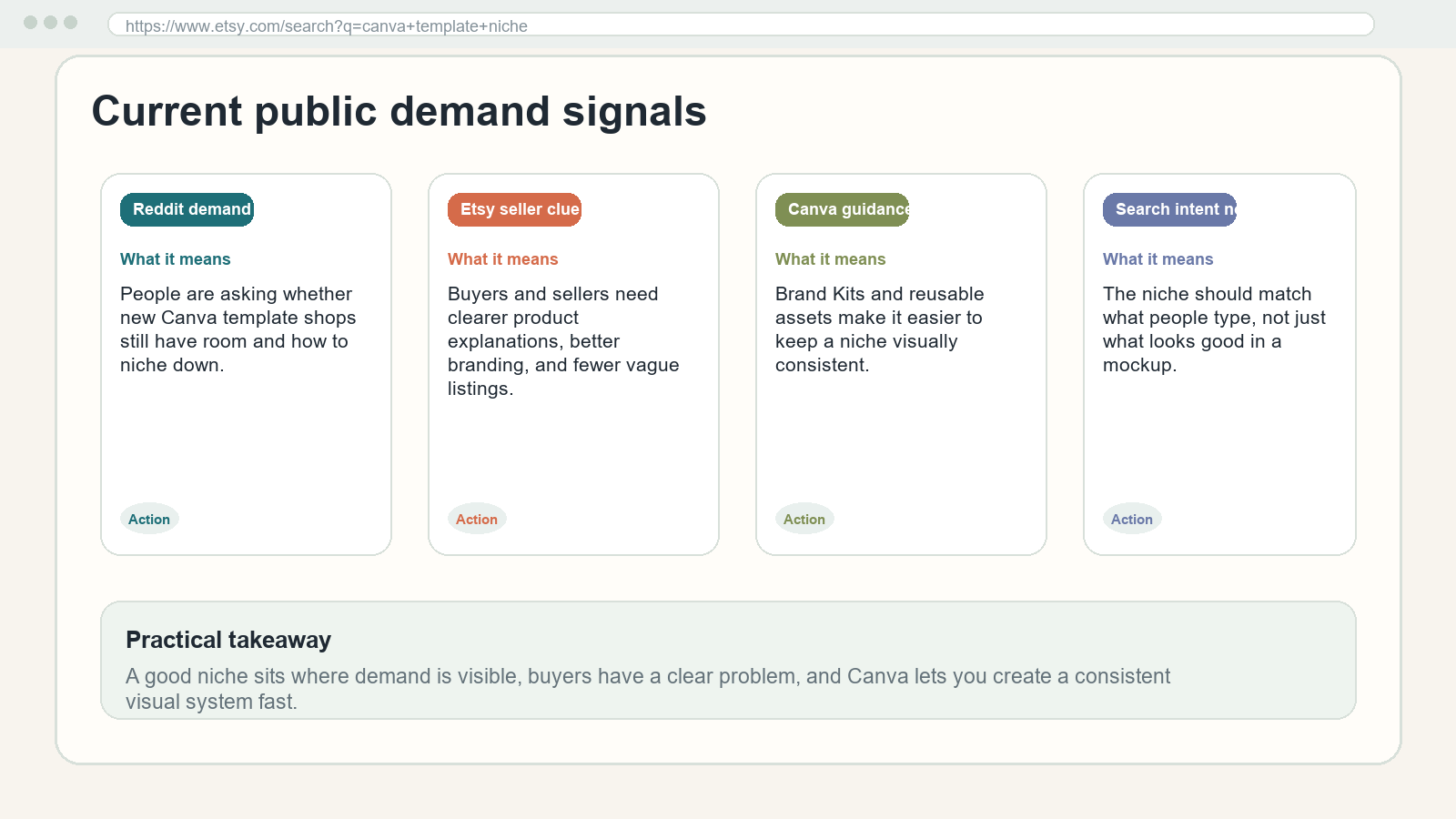
Before you open Canva, look for public evidence that people are confused, crowded, or repeatedly asking the same thing. In the current market conversation, that looks like creators asking how new template shops are still getting traction, sellers wondering whether niching down helps, and product owners asking how to make a listing understandable. Those are all signs of buyer friction. Buyer friction is good research because it points to the exact places where a template can help.
When you collect demand signals, do not chase only the loudest post or the trendiest design style. Write down the exact problem sentence. A post about a crowded market may really be saying, “I do not know how to stand out.” A post about listing images may really be saying, “My product is useful, but buyers cannot tell what it does.” A post about niching down may really be saying, “I have too many product ideas and no clear lane.” Those are different symptoms, but they can point to the same opportunity: a smaller, more specific template niche.
At this stage, you are not trying to predict the entire market. You are trying to find repeated language. Repeated language is useful because it can become the title of your tutorial, the headline of your product, and the anchor of your SEO strategy. If the words show up again and again in public discussion, you have a better chance of making something people will recognize immediately.
Start With A Buyer Problem, Not A Style Trend
Most beginner template shops start with style: pastel, minimal, neutral, bold, boho, modern. Style matters, but it is not the entry point. The entry point is the job the buyer wants done. A wedding planner wants a timeline that keeps the day on schedule. An Etsy seller wants listing images that explain the digital file instantly. A coach wants a workbook that looks polished without taking a week to build. A teacher wants a class planner that is easy to edit on a phone. The problem determines the niche more than the color palette does.
To keep your thinking grounded, write one sentence in this format: “I help [buyer] do [task] with [product type].” For example: “I help new Etsy sellers explain Canva templates with simple listing image packs.” Or: “I help busy parents track routines with clean Google Sheets planners.” Or: “I help beginner wedding coordinators stay organized with editable timeline templates.” If the sentence feels vague, it probably points to a weak niche. If it feels easy to repeat out loud, you are close.
This is also where official Etsy and Canva guidance helps. Etsy consistently emphasizes branding, product photography, and clear search-friendly listings. Canva makes it easy to organize brand assets and reuse approved design elements through Brand Kits. Taken together, the guidance says the same thing: build a product that is understandable, visually consistent, and easy for a buyer to browse. A niche is the way you make those ideas concrete.
Build A Simple Niche Scorecard
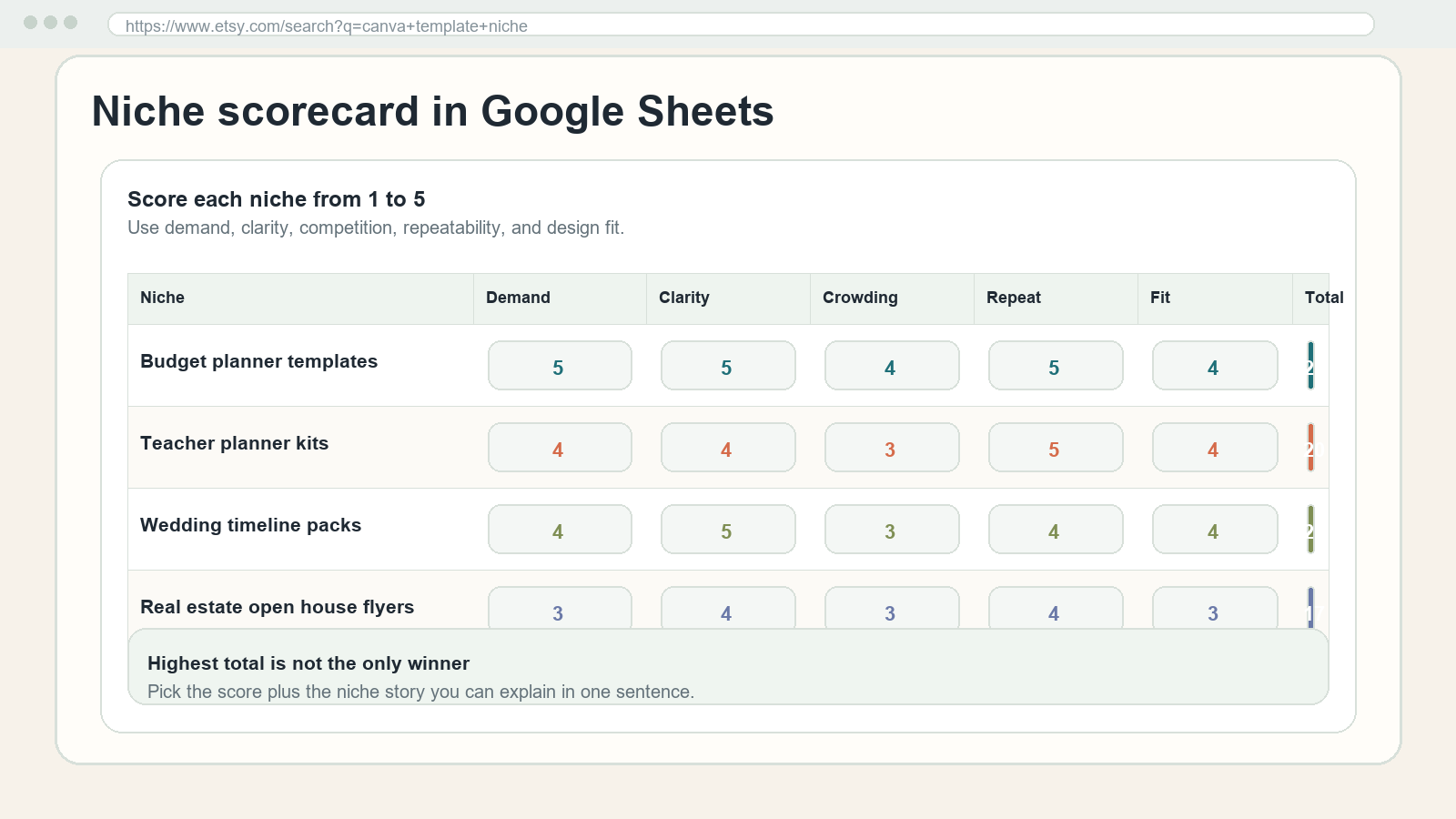
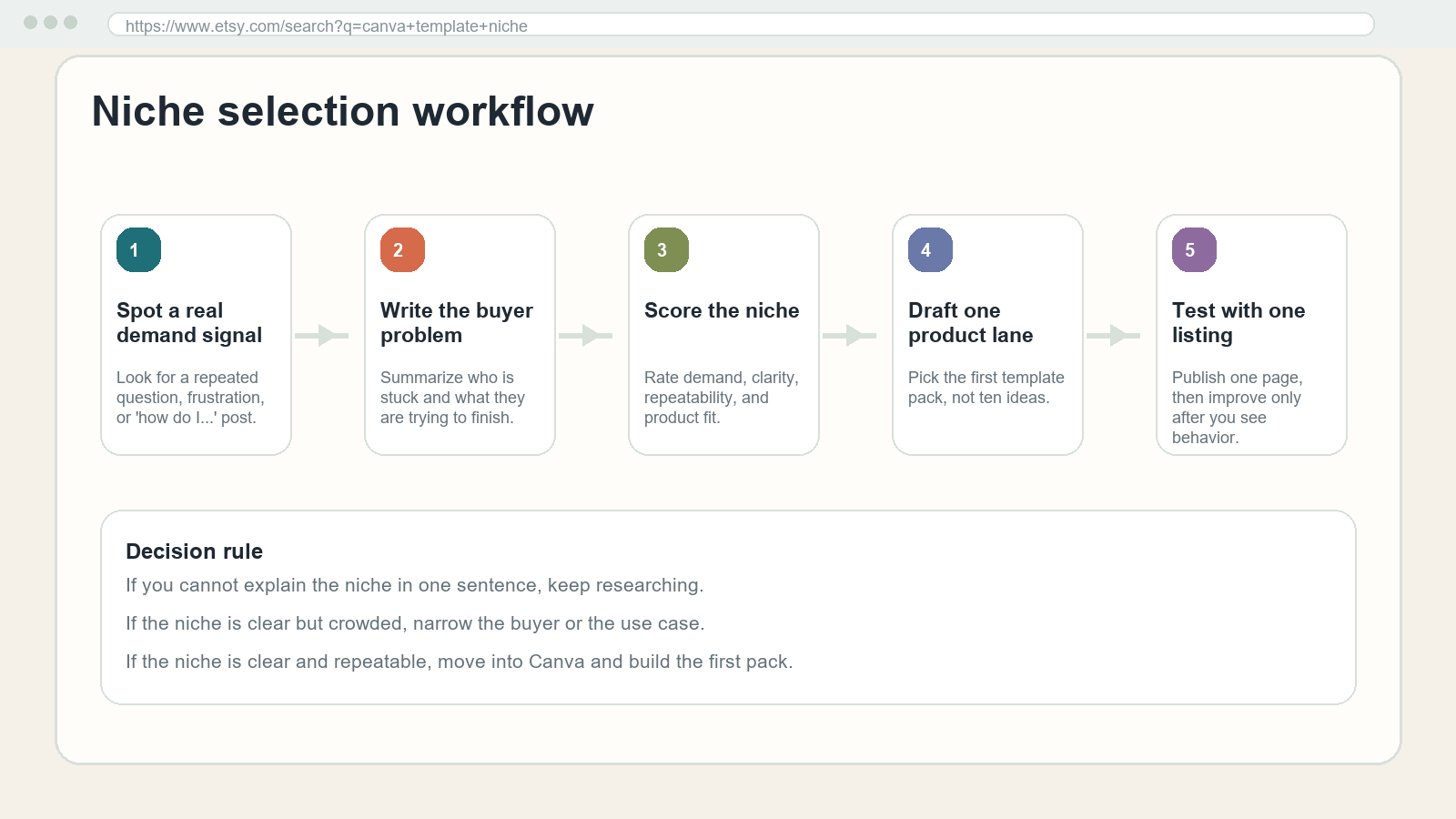
Do not choose the niche from instinct alone. Put three to five candidate niches into a scorecard and compare them. A simple Google Sheet is enough. Add columns for demand, clarity, crowding, repeatability, and design fit. Rate each one from 1 to 5. The numbers do not have to be perfect. The point is to force a comparison so you can see which idea is actually easier to explain and build.
Demand asks whether people really need this. Clarity asks whether you can explain the niche in one sentence. Crowding asks whether the market is so full that your product would disappear without a sharper angle. Repeatability asks whether you could make a second and third product without reinventing the entire store. Design fit asks whether the niche can support a visual system in Canva instead of requiring a dozen different aesthetics.
Here is the important part: the highest score is not always the winner. If one niche scores a little lower but you can explain it instantly, that may still be the better beginner choice. Beginners often overvalue demand and undervalue clarity. But clarity is what helps you publish. A niche you can actually execute beats a slightly larger niche you keep postponing. The scorecard is there to help you act, not to trap you in analysis.
Check Etsy Search Before You Commit
Once the scorecard narrows the field, check Etsy search. Search the phrase you plan to target and look at the first page. Ask three questions. Do the results look similar enough that a buyer can tell what the category is? Do the listings use language that matches the problem you wrote down? And do you see room for a clearer, simpler version of the same product? You are looking for fit, not empty space.
A lot of beginners misread competition. A crowded result page does not automatically mean the niche is dead. It may mean demand is real. The real question is whether you can narrow the angle. For example, a broad planner niche may be crowded, but a planner for first-year freelancers, new Etsy sellers, or wedding side hustlers can still be viable because those buyers want different language and different page structures. The trick is to move from category to use case.
As you scan, take notes on title patterns, image patterns, and promise patterns. Do the winners emphasize editable, printable, beginner-friendly, instant download, or bundle size? Do they show the inside pages, the mobile preview, or the final output? Those details tell you how the market frames the value. Your version should not be a copy. It should be a cleaner answer to the same question.
Turn The Niche Into One Product Lane
After you choose the niche, resist the urge to build everything. Beginners often want to create a planner, a checklist, a workbook, a mockup bundle, a lead magnet, and a social post pack all at once. That usually dilutes the shop. A stronger move is to pick one product lane: one family of products that all solve a similar task for the same buyer.
If your niche is new Etsy sellers, your first lane might be listing image packs plus a simple listing checklist. If your niche is busy parents, your first lane might be budget planners, meal planners, and school routine trackers. If your niche is service businesses, your first lane might be brand intake forms, quote templates, and social media content trackers. The lane matters because it keeps your decisions aligned. You are not making random files. You are building a small system around a specific outcome.
A useful test is whether the second product can be described with the same buyer and a nearby problem. If the answer is yes, you probably have a real lane. If the second product requires a different audience, different language, and different style, you may be stretching the niche too far. In that case, stay smaller. A shop with one clear lane usually looks more credible than a shop with five unrelated products and no obvious reason for them to live together.
Use Canva To Make The Niche Feel Real
Once the lane is clear, open Canva and start building with the niche in mind. This is where Brand Kits help because you can save the colors, fonts, and logo elements that fit the audience. The purpose is not to decorate the shop. The purpose is to create a visual rhythm the buyer can recognize across thumbnails, product pages, and deliverables. If the niche is for busy beginners, make the visuals calm and obvious. If the niche is for creative planners, you can be a little more expressive. The design should match the buyer’s expectation, not your personal mood that day.
Start with one template pack. Create a simple cover page, one inside page, and one preview page. Then apply the same style to the remaining pages. If you are selling a tutorial about listing images, mock the images as real screens or board views. If you are selling a planner, show the interior pages as if someone is actually using them. If you are selling a checklist, make the checklist legible enough that a buyer can imagine printing it or copying it into their workflow. Realistic screenshot-style visuals help because they show the product in use rather than only as a polished cover.
Canva’s Etsy size guidance is useful here too. Keep layouts simple enough to survive thumbnail compression and mobile browsing. Do not bury the key promise in decorative text. Do not over-layer badges and stickers. A niche product should feel like a solution, not a scrapbook. If a buyer can understand the file from the first glance, the design is doing its job.
Make One Listing Before You Make Ten Variations
Beginners often think they need a full catalog before they can publish. They do not. One good listing is enough to test whether the niche language makes sense. Publish a single product with a clear title, a direct description, and a few images that show the actual file or the actual outcome. Then pay attention to what people understand and what they ignore. That feedback is far more valuable than sitting on a folder full of unfinished ideas.
When you build the listing, keep the promise narrow. Tell the buyer exactly what they get, what format it is in, and who it is for. If the product is editable, say that. If it is printable, say that. If it is a template, explain what is editable and what is not. One common mistake is assuming the buyer will infer the details. They will not. The clearer the listing, the less work the buyer has to do.
Use the first listing as a language test. If the title feels awkward, the niche may still be too broad. If the description feels repetitive, the product may not have a specific enough use case. If the images seem generic, you may need a more concrete buyer problem. The listing is not just a sales page. It is a diagnostic tool. It shows whether the niche can actually be explained in public.
Keep The Niche Tight While You Expand
Once the first product is live, the temptation is to expand too quickly. A real niche can still grow, but it should grow in one direction at a time. Add products that share the same buyer, the same language, and the same usage context. If the niche is new Etsy sellers, keep expanding into adjacent seller tools. If the niche is teacher planners, keep expanding into adjacent classroom organization tools. If the niche is wedding timelines, keep expanding into related event coordination pages. That kind of expansion makes the shop look intentional.
Expansion should also preserve the style system. That is where Brand Kits and reusable assets save time. Once you have a palette, a font pair, and a few layout rules, each new product can inherit the same look without becoming copy-paste boring. The goal is not identical pages. The goal is recognizable pages. Buyers should be able to tell that the products belong together even if the content changes.
This is also the point where people start to understand why niche research matters more than making a pretty file. A pretty file can sell once. A clear niche can support a collection. When the products all speak to the same buyer problem, the shop starts to feel like a resource instead of a random download shelf. That is what makes the next product easier to launch than the first one.
Risks, Red Flags, And When To Skip A Niche
Not every niche is worth pursuing. Skip the idea if you cannot explain the buyer in plain language, if the product would need too many separate styles to feel coherent, or if the market demand appears to be mostly hype without a clear use case. Also be careful with niches that are only trendy because of social media. Trendy does not always mean durable. A beginner needs repeatability, not a one-week spike.
Another red flag is overgeneralization. A niche like “template creators” is too broad unless you narrow the task. A niche like “Etsy sellers” is broad unless you identify the product problem. A niche like “digital products” is almost always too large to be useful on its own. You need a buyer and a job. Without those, you will end up designing for a concept instead of a customer.
Also watch for time traps. If a niche takes too long to explain, too long to design, or too long to research, that is a sign the market may be too fragmented for a beginner. The best early niches usually have a small number of repeatable pages, a direct buyer need, and a simple explanation. Small does not mean weak. Small often means shippable.
How To Get Started Today
Start with a short research block. Open a sheet and list three niche ideas. Score each one. Search each one on Etsy. Note the words that show up repeatedly. Then choose the niche you can explain in one sentence. Do not keep adding candidates once you have enough evidence to move forward. The point is not to maximize research. The point is to decide.
After the decision, build the first product lane and stop. Create one pack, one listing, and one internal style system. When the first file is done, save the colors, fonts, and layout rules. Then write down the exact buyer problem so the next product in the lane can be built faster. If you stay disciplined here, you will have a repeatable workflow instead of a one-off project.
If you want the simplest rule possible, use this: choose the niche that has the clearest buyer, the easiest promise, and the fastest path from a search query to a useful Canva file. That rule keeps beginners from wandering into vague ideas that look creative but never ship. A focused niche is usually less exciting at the start and more useful over time. That is the tradeoff worth making.
Visual Walkthrough
Screenshot-style planning views
Success Flow Chart
Beginner Checklist
- Write the buyer problem in one sentence before you name the niche.
- Score at least three niche ideas in a simple sheet.
- Search Etsy and note whether the results are clear or messy.
- Choose one product lane, not a bundle of unrelated products.
- Use Canva Brand Kits or a mini style guide to keep the niche consistent.
- Make one listing with a clear promise, preview, and use case.
- Save the process so the next niche uses the same workflow.
Copy-Paste ChatGPT Prompt
Use this prompt to pressure-test a niche before you spend time designing it.
You are my Etsy template niche strategist. I want to choose one Canva template niche for a beginner shop.

Inputs:
- My current interests: [paste them]
- My target buyer: [paste the buyer]
- Product type: [budget planner, listing images, teacher planner, wedding timeline, social media template, etc.]
- Competitors I found: [paste notes]
- Demand signals I found: [paste notes]

Task:
1. Turn my notes into a one-sentence niche definition.
2. Score the niche from 1 to 5 on demand, clarity, crowding, repeatability, and design fit.
3. Tell me the strongest buyer problem.
4. Suggest one first product pack.
5. Give me a simple Canva style direction.
6. List three reasons this niche might fail.
7. Tell me whether I should keep researching, narrow the niche, or start building.

Rules:
- Be specific and beginner-friendly.
- Avoid hype and income promises.
- Prefer practical language I can use in a real listing.
- Keep the answer short enough to act on today.Current Sources Checked
These are the public guidance and demand-signal links that informed this tutorial.
- Canva Help: Set up Brand Kits
- Canva Help: Manage brand assets in Canva
- Canva Help: Etsy size guide
- Etsy Seller Handbook: Developing a Brand Design Palette
- Etsy Seller Handbook: The Ultimate Guide to Branding and Customer Service
- Etsy Seller Handbook: Why Product Photography Is Important
- Public demand signal: How Are New Canva Template Shops Getting So Many Sales?
- Public demand signal: Need advice on niching down.
- Public demand signal: Is this enough to make listing images?
Continue Learning On IdeaVaultHQ
Use these links to keep building the same tutorial path instead of stopping at one article.
- IdeaVaultHQ home page
- How To Build a Canva Brand Kit for Etsy Templates That Makes Your Shop Look Cohesive
- How To Create A Canva Budget Planner Template To Sell On Etsy In 2026
- How To Research Etsy Digital Product Ideas Step By Step
- Template Tutorials
- How To Design Templates
- Canva Templates
- Product Research
- Sell On Etsy
- Digital Products
Continue Learning On IdeaVaultHQ
This guide is part of the IdeaVaultHQ Template School path. Use the links below to keep moving instead of stopping on one article.
Success Diagram For This Idea
This is the practical path from reading How To Choose a Canva Template Niche That Etsy Buyers Actually Search For to turning the idea into a small testable offer.
Leave a Reply