Quick answer: If you want Etsy SEO to help a Canva template shop, start with buyer language, not with cute product names. Type a real search phrase into Etsy, copy the exact wording the platform suggests, and store those phrases in a simple Google Sheets board. Then choose one phrase you can explain clearly, turn it into one original template, and write the title, tags, and images so they all answer the same question. That is the beginner path that actually leads somewhere.
Recent public demand signals point to the same pain. In Reddit threads from spring 2026, new and experienced sellers kept asking how to write Etsy tags, whether titles should be short or long, and how to choose keywords for Canva templates without sounding fake. That is not a formal market report, but it is a strong public clue. People are still looking for a simple process. They do not want theory. They want the exact steps for finding words buyers already use and turning those words into something they can list.
This tutorial is for beginners who want a template business but keep getting stuck on SEO. It is also for sellers who already made a product and now need the listing to make sense. You do not need a giant keyword tool stack to start. You do need one sheet, one browser tab, one product idea, and the patience to compare phrases instead of chasing random trends.
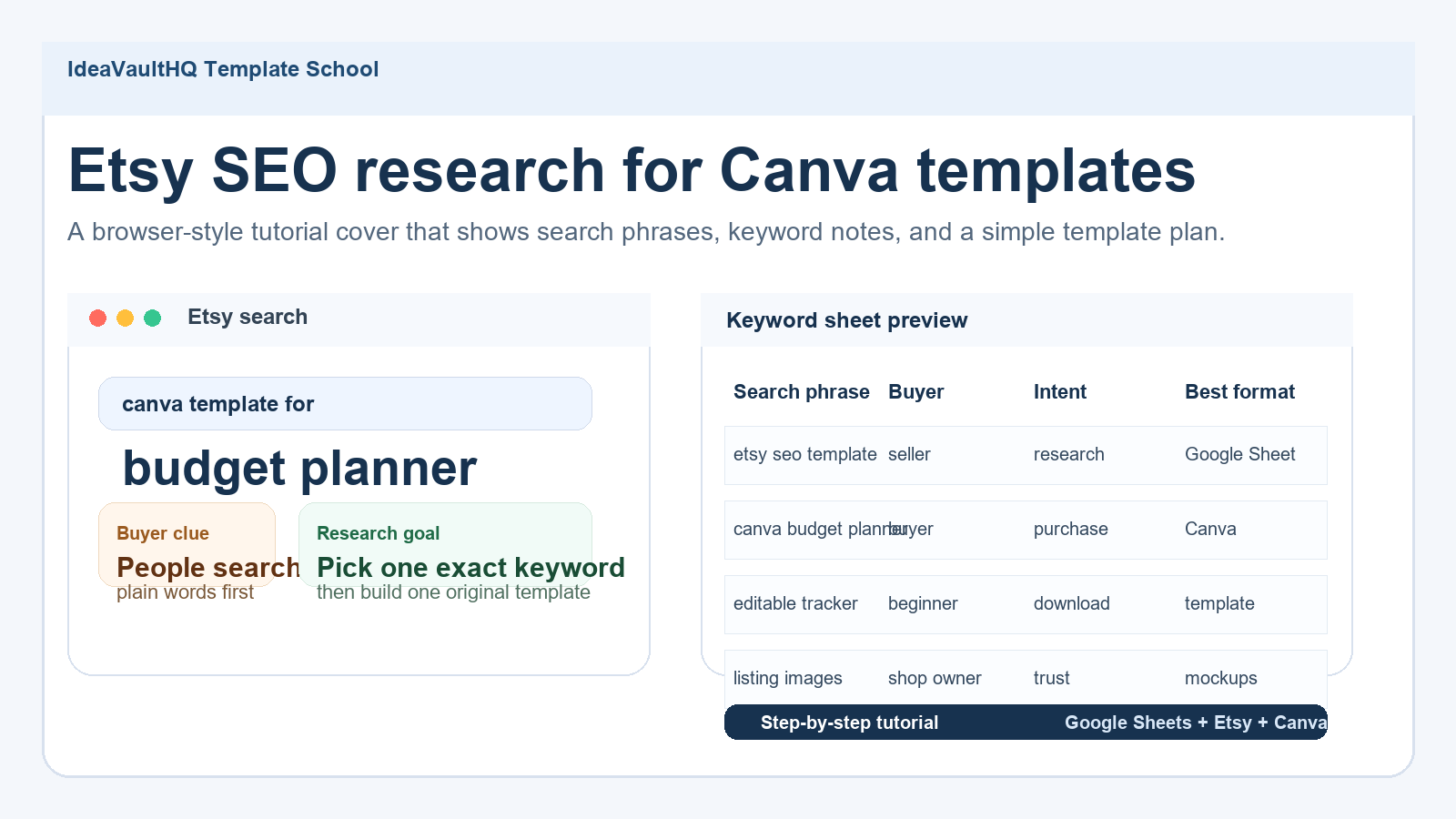
Etsy SEO Research Workflow
1. Decide What Problem Your SEO Research Is Solving
Etsy SEO research is not about hunting for magical words. It is about finding out how a buyer describes a problem before you build the product. That sounds small, but it changes the whole process. If you start with the product name you want to sell, you usually end up writing a title that feels clever but vague. If you start with the problem the buyer is trying to solve, the title becomes clearer, the tags become easier, and the images are more obvious.
For Canva templates, the problem is usually something practical. A buyer wants a prettier social media pack, a budget planner that is easier to edit, a wedding sheet that does not look confusing, or a simple business kit that saves time. Etsy search language reflects that practical intent. Buyers rarely type a dreamy phrase first. They type the thing they need: editable Canva template, budget planner, Instagram story template, listing image template, or Etsy SEO checklist. Your job is to learn which phrases show up again and again.
Think of SEO as a translation job. The buyer says one thing. You turn it into a product they can understand quickly. The more clearly you translate the buyer’s phrase into your listing, the less guesswork the buyer has to do. That is why SEO matters even for a tiny template shop. It is not just search ranking. It is product clarity.
This also explains why random keyword stuffing usually fails. A title loaded with unrelated phrases may check boxes for a tool, but it does not help the shopper. Etsy guidance repeatedly points sellers toward clear tags, clear photos, and useful listing details. Those are all signals that the platform wants relevance, not noise. If your first search term and your final template idea do not match, you will feel the mismatch later in conversions.
Before you open any tool, write one sentence that answers this: what kind of buyer am I helping and what are they trying to do? A simple example is “I am helping beginner Etsy sellers find the right keywords for a Canva template.” Another is “I am helping template buyers find a budget planner that is easy to edit.” That sentence becomes the filter for everything else you do.
2. Start With Current Public Demand Signals
You do not need to guess what people are struggling with. Public discussions already show you. In recent Reddit threads, sellers asked how to research Etsy tags, whether titles should be short or long, and whether a tag has to look like a natural phrase. Another recent thread from a new Canva template seller asked for honest feedback on how to build the shop. Those are useful signals because they reveal the exact beginner friction points: confusion about tags, confusion about template types, and uncertainty about how to stand out.
When I look at those signals, I do not copy them. I extract the problem. The problem is that sellers need a repeatable keyword process. They also need a beginner-friendly way to decide whether a phrase is worth building around. That makes “Etsy SEO for Canva templates” a strong tutorial topic because it sits right where public confusion, product demand, and practical action overlap.
Official Etsy help pages support that direction too. Etsy says tags help shoppers find relevant results, and it also gives guidance on listing photos, thumbnails, and digital listings. That means the practical work is not just writing keywords. It is aligning the whole listing around one clear promise. The title, photos, tags, and digital file details should all say the same thing in slightly different ways.
If you want a current demand signal routine, use three buckets. First, check Etsy help pages for what the platform currently tells sellers to do. Second, scan recent seller discussions for the confusion people keep repeating. Third, look at the marketplace itself and note which template formats appear over and over. When all three buckets point in the same direction, the topic is probably worth writing about or building around.
A useful rule: if the question keeps showing up in public, the tutorial will probably help someone. If the question only lives inside your head, pause before you build. That is how you avoid making a product that sounds smart but solves no real search intent.
3. Open Etsy Search And Collect The Buyer Phrases
Now open Etsy and do the most basic thing possible: type the first phrase you think a buyer would search. Start with broad words like Canva template, budget planner, Etsy SEO, listing image, digital planner, or Google Sheets template. Watch the autocomplete suggestions carefully. Those suggestions are useful because they show what Etsy thinks shoppers might actually search next. Write the exact phrases into your sheet. Do not paraphrase yet. Capture the buyer language first.
For each phrase, open the first page of results and scan the listings quickly. You are not trying to count exact sales or copy the top seller. You are checking patterns. What kind of file is it? Is it a printable PDF, a Canva template, a spreadsheet, or a bundle? What does the first image say? What words are repeated in multiple titles? What problem is the listing promising to solve? A beginner usually learns more from five fast observations than from an hour of scrolling.
One practical way to keep this organized is to search in sets. For example, type “Canva template” and note the suggestions. Then type “budget planner” and note the suggestions. Then type “Etsy SEO” and note the suggestions. Then type “listing images” and note the suggestions. The point is not to collect every phrase on earth. The point is to separate phrases that signal buyer intent from phrases that just sound trendy.
As you collect the phrases, add one column that says “buyer moment.” That column forces you to ask why someone would search this phrase. A person searching “editable Canva template” may want a quick reskin. A person searching “budget planner” may want organization. A person searching “Etsy SEO” may be a seller who wants more traffic. The buyer moment helps you decide whether the phrase fits a tutorial, a product, or both.
If you can only do one thing well at this stage, do this: write down the exact words buyers use. Your own wording can come later. The phrase that feels boring to you may be the phrase the marketplace understands best. Search intent wins over cleverness here.
4. Put The Keywords Into A Simple Google Sheets Board
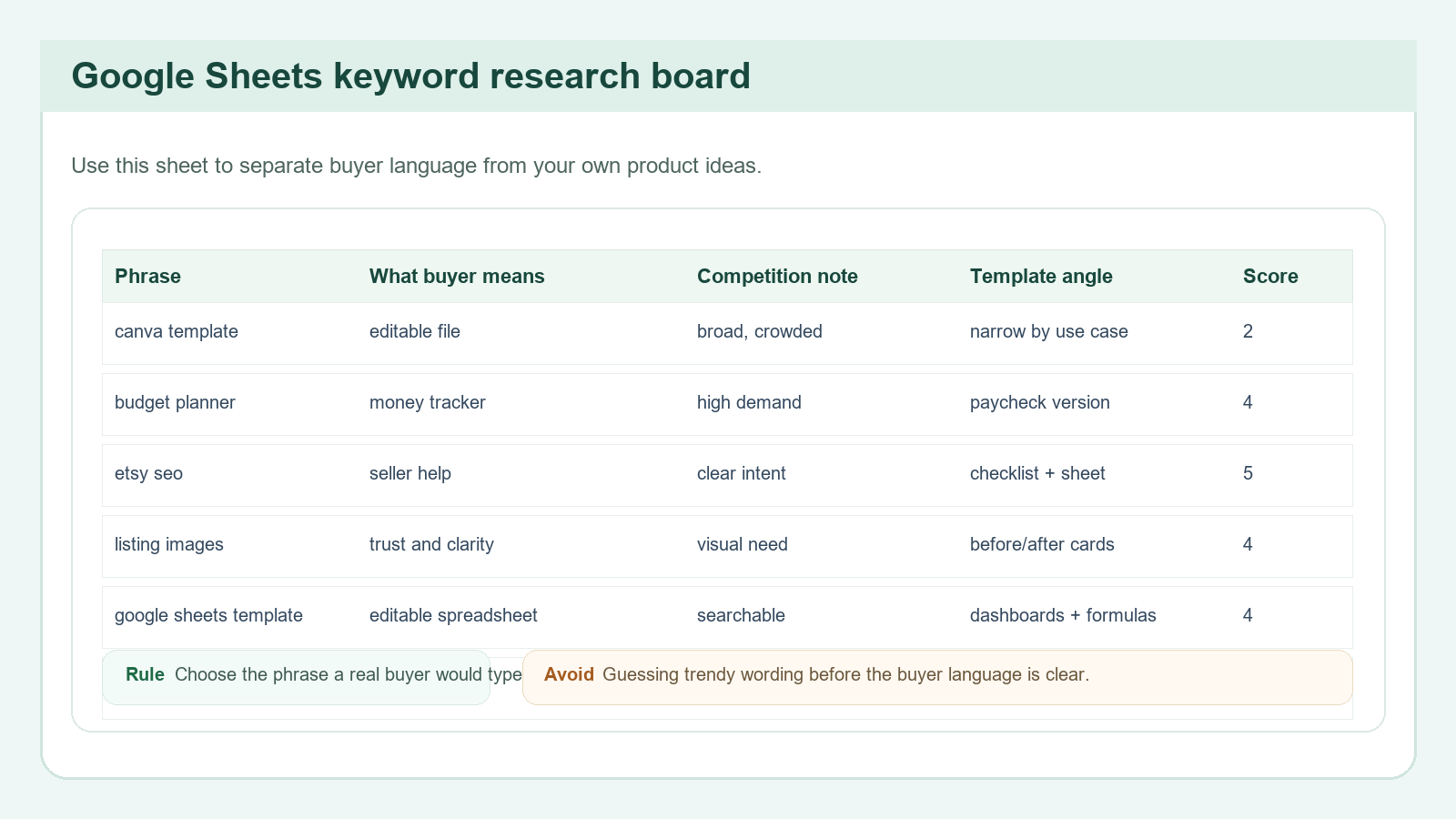
Google Sheets is enough for the first pass. Create columns for phrase, buyer, intent, competition note, template angle, and score. That is it. You do not need a complex dashboard before you know whether the idea is real. A simple board makes the pattern obvious without stealing the whole afternoon.
The score does not have to be scientific. Use a 1 to 5 scale for four things: clarity, demand, build difficulty, and originality room. Clarity asks whether a real buyer would understand the phrase. Demand asks whether you saw the phrase more than once. Build difficulty asks whether you could make the template in a day or two. Originality room asks whether you can create a useful version that is clearly your own.
When the sheet is working, it should reduce anxiety. Instead of asking “what should I sell?” you can ask “which of these phrases is clear enough to build around?” That is a better question because it is narrower. Beginners often lose time by opening a design tool before they know what the listing is trying to say. The sheet prevents that.
Use the sheet to separate phrases that look promising from phrases that are just noise. For example, “budget planner” may be too broad, but “Canva budget planner for beginners” may be more specific. “Etsy SEO” may be educational, but “Etsy SEO checklist for Canva template sellers” may be a stronger tutorial product. “Listing images” may be vague, but “Etsy listing images for digital downloads” gives the product a sharper use case.
Also keep a note on what kind of file would match the keyword. A keyword that sounds like a workflow may work better as a worksheet. A keyword that sounds like a visual product may work better as a Canva template. A keyword that sounds like a system may work better as a spreadsheet. Matching format to intent is one of the easiest ways to make a product feel useful instead of random.
When your sheet has at least ten phrases, stop collecting and start sorting. If you keep researching forever, you are hiding from the next decision. The next decision is the part that actually matters: which one will you build first?
5. Read Etsy Listings Like A Buyer, Not Like A Designer
Open a few listings that use your best phrases and read them the way a buyer would. Start with the first image. Then look at the title. Then glance at the thumbnails on the results page again. A buyer on Etsy often decides whether to click in a few seconds, so the first image and title do most of the work. That means your listing research should care about those two elements before anything else.
Ask simple questions. Does the first image say the product type clearly? Does it say editable or printable? Does it show the exact use case? Does it promise a result that a beginner actually wants? If the listing image is busy but not clear, note that. If the title is descriptive but the image is fuzzy, note that too. Etsy’s own help pages stress clear, high-resolution images, and they warn that blurry or collage-style main images can hurt visibility. That is practical guidance, not design theory.
For digital products, the description is often hidden or ignored until later, so the image has to carry the promise. That is why many strong listings are not actually more decorative. They are more explicit. They show the file type, the main benefit, and the use case without making the buyer dig. If your product is a Canva template, the listing should show the editable layout and the result it creates. If the product is a spreadsheet, show the tabs and a sample dashboard. If it is an Etsy SEO tool, show the fields and the workflow.
Do not copy the best seller’s design. That is not the point. Your task is to map the buyer logic. The strongest listing usually reveals three things fast: what it is, who it is for, and why it is worth opening. Those three things should become your checklist when you create your own listing images later.
If you are unsure whether a listing is useful, imagine trying to explain it to a friend who has never sold digital products. Could you describe the item in one sentence? If not, the listing may be too vague. Buyers do not reward vagueness. They reward certainty. Clarity is the conversion tool.
6. Pick One Template Format That Matches The Keyword
Now decide what format the keyword wants. This is where many beginners drift off target. They find a phrase they like and then force it into the wrong file type. A phrase about editing or speed may work well as a Canva template. A phrase about tracking or formulas may work better as a Google Sheets template. A phrase about planning may work as a printable PDF. The file format should fit the way the buyer wants to use it.
For Canva templates, the biggest advantage is flexibility. Buyers like being able to swap colors, text, and photos without starting from scratch. That makes Canva a strong fit for social media packs, branding kits, listing image templates, mini guides, and checklists. For Google Sheets, the advantage is structure. Sheets are good for trackers, calculators, research boards, inventory tables, and budgeting systems. If your keyword suggests a workflow rather than a visual layout, Sheets may be the better choice.
Try to narrow the audience too. “Canva template” is too broad. “Canva budget planner for beginners” is better. “Etsy SEO checklist” is fine, but “Etsy SEO checklist for template sellers” is sharper. “Google Sheets template” becomes stronger when you say what it helps track. Every time you narrow the audience, you make the product easier to explain and easier to show in images.
Use your sheet to compare format options against buyer intent. If a buyer seems to want speed, choose a simple template. If the buyer wants tracking, choose a spreadsheet. If the buyer wants visual polish, choose a Canva template. If the buyer wants instructions, include a guide PDF. The best beginner products often combine one main file with one tiny support file, such as a one-page setup guide.
The goal is not to create a giant bundle right away. It is to create one useful thing that solves one problem clearly. If your first version looks too complicated to explain in one sentence, it is probably too complicated to sell well as a first product.
7. Write A Title And Tags That Match Real Search Behavior
Your title should sound like a path to the product, not like a marketing slogan. A buyer should be able to read it and understand what they are getting. For Etsy, that usually means putting the main keyword close to the front and keeping the wording natural. A title such as “Etsy SEO Checklist for Canva Template Sellers” tells the buyer exactly what the product is. It is not flashy, but it is useful.
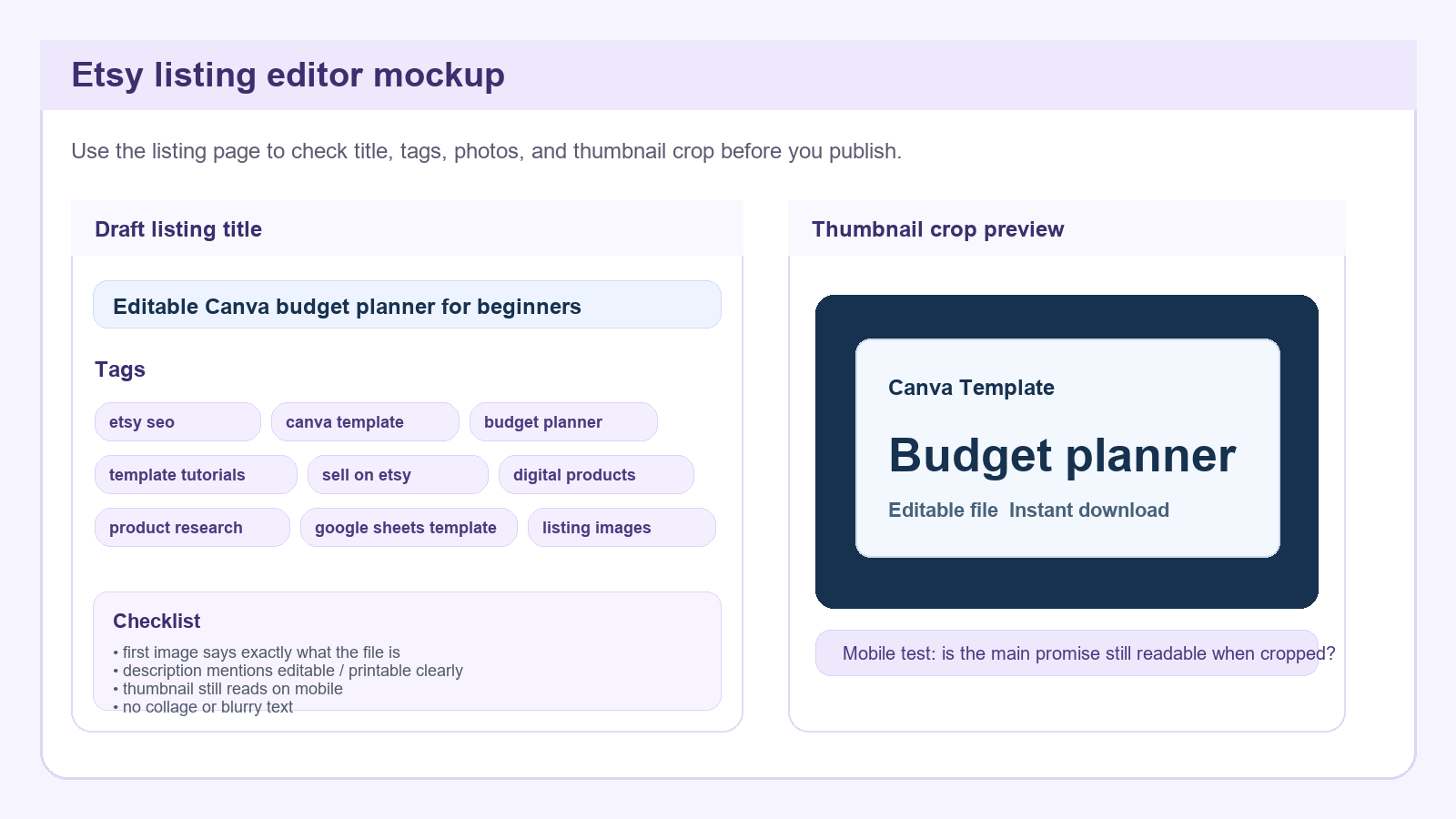
Tags should do the same job. They are not a place to invent clever phrases that nobody searches for. Etsy help says tags help Etsy match listings with shopper searches, which means you want relevance and variety. Use tags that reflect the buyer phrase, the format, and the use case. For this tutorial, tags might include Etsy SEO, Canva templates, template tutorials, digital products, product research, Google Sheets template, sell on Etsy, and keyword research. Each tag should reinforce the same topic from a different angle.
Do not repeat the same words just to fill space. That wastes the tag slot. Instead, mix the main phrase with related intent words. A buyer might search for template seller help, keyword checklist, editable template, Etsy tags, or digital product ideas. If those phrases all connect to the same product, your listing becomes more findable without feeling spammy.
One thing beginners often miss is that the title, tags, and first image need to agree. If the title says Etsy SEO checklist but the image looks like a generic planner, the message gets muddy. If the tags say Canva template but the file is actually a spreadsheet, the promise gets muddy. Consistency is part of SEO because it improves trust and click behavior. A clearer listing usually performs better than a clever but confusing one.
After you draft the title and tags, read them out loud. If the sentence sounds like a real person might search it, you are close. If it sounds like a slogan from a different universe, rewrite it. Search terms do not have to be beautiful. They have to be understandable.
8. Check The Listing Images And Thumbnail Like A Mobile Shopper
Etsy’s own guidance on listing photos makes this part non-negotiable: use clear, high-resolution images and avoid dark or blurry primary images. For digital products, that matters even more because the image is the product demo. Open your listing mockup and imagine the image as a tiny thumbnail on a phone. Can you still tell what it is? Can you still read the main promise? If not, adjust the layout before you publish.
The image sequence should answer a simple set of questions. Image one: what is it? Image two: what is included? Image three: what does the file look like? Image four: how do I use it? Image five: why is this better for me? You do not need to cram every detail into one card. In fact, that usually makes the listing weaker. The buyer should feel a logical progression from curiosity to understanding.
For a Canva template listing, that may mean showing a clean cover image first, then one or two page previews, then an editing screen, then a use-case card, then a final trust card. For a Google Sheets template, it may mean showing the dashboard, a tab view, sample formulas, a quick setup guide, and a screenshot of the final result. The visuals should look like real work screens, not abstract promo art. That is what makes them believable.
Thumbnail crop matters too. A pretty design can fail if the important text disappears in the crop. Test the image at small size. If the main phrase gets lost, move it up or remove extra decoration. The best thumbnail is not the most decorative one. It is the one that still makes sense when tiny.
Also watch for one common mistake: using too many words on the first card. A beginner may try to explain the whole product in the first image and end up with a wall of text. Instead, let the sequence do the work. Shorter cards are easier to read, especially on mobile. The listing should feel like a guided tour, not a paragraph pasted into a square.
9. Turn The Research Into A One-Page Product Brief
Once you have the keyword, the buyer phrase, and the format, write a short product brief before you open Canva or Sheets. The brief should include the exact keyword, the buyer, the problem, the file type, the main pages or tabs, the style direction, the price test range, and the visual proof plan. This is the bridge between research and production.
For example: keyword, Etsy SEO checklist for Canva template sellers. Buyer, new template sellers who do not know how to choose clear tags. Problem, they keep picking vague phrases and weak titles. File type, one checklist PDF plus one editable Google Sheet. Main pages or tabs, keyword collector, phrase sorter, title builder, tag draft, image sequence. Style direction, clean teal and cream with strong borders. Price test range, $5 to $12. Visual proof plan, show the sheet, the checklist, the title draft, and the listing image sequence.
The brief keeps you from designing random extras. If a page does not help the buyer solve the problem, cut it. If a feature is nice but not necessary, leave it for version two. A first product wins by being clear and finishable, not by being large. Beginners often overbuild because they think more pages will automatically mean more value. More pages can actually make the product harder to understand.
Use the brief to decide whether the idea is worth building now. If you cannot describe the product simply, stop and refine the keyword. If you can describe it simply, move forward. The whole point of research is to reduce confusion. If you still feel confused after the brief, the keyword may be too broad or too generic.
When the brief is ready, you now have enough to build a real listing. That is the correct stopping point for research. From here, the work becomes design, testing, and publishing. Do not drag the keyword phase out longer than necessary.
10. Know The Risks Before You Publish
There are a few ways this can go wrong. The biggest is making a product from a keyword instead of from a buyer problem. If you chase “Etsy SEO” without narrowing the audience, the listing may be too vague. Another risk is changing tags too often. Etsy sellers frequently talk about reindexing and second-guessing titles, but constant edits can make it hard to know what helped. Make one focused version, wait long enough to gather data, and then adjust with a reason.
Another mistake is assuming the keyword alone will create demand. It will not. The product still has to solve a real task. A template that looks nice but does not save time or reduce confusion will struggle. The buyer must be able to see the benefit quickly. That is why the listing images, title, and file format matter together. The system has to make sense as one unit.
Do not copy someone else’s exact phrasing, and do not copy their image layout. Use public signals to learn the market, then build something original. That is the right line. It keeps the work useful and keeps you from making a confusing clone that belongs to nobody.
Finally, remember that SEO is a process, not a one-day event. A strong keyword and a clear listing give you a better starting point, but you still need patience. If the product is good, the listing is clear, and the search intent is matched, you have something real to improve. That is much better than publishing a vague product and hoping the platform figures it out.
When you are done, your next action is not to collect twenty more phrases. Your next action is to build one original template, publish it, and watch how the market responds. Research should lead to a launch, not to permanent preparation.
How To Get Started Today
- Open Etsy and type one broad phrase you already care about, such as Canva template or Etsy SEO.
- Copy ten autocomplete phrases into a new Google Sheet.
- Mark which phrases sound like a buyer problem, not a brand slogan.
- Pick one phrase you can turn into one original template or worksheet.
- Draft the title, tags, and first image before you design the full product.
Beginner Checklist
- One keyword sheet with at least ten phrases.
- One buyer phrase chosen for the first product.
- One short product brief written before design starts.
- One image sequence that explains the file clearly.
- One title and tag set that all match the same intent.
- One clear reason the buyer would pay for this file.
Copy-Paste ChatGPT Prompt
You are helping me create an Etsy template listing.

Product idea: an original Canva template or Google Sheets template based on the keyword research in this article.

Please help me:
1. Narrow the buyer persona to one clear person
2. Suggest a simple template format
3. Write a plain-English title
4. Draft 13 Etsy tags based on buyer intent
5. Suggest the 5 listing image slides I should create
6. List the risks or assumptions I should check before publishing
7. Turn the idea into a 7-day launch plan

Keep the suggestions practical, specific, and beginner-friendly.Continue Learning On IdeaVaultHQ
This tutorial is one stop in the IdeaVaultHQ Template School path. Keep moving through the related guides below instead of stopping at one article.
Source Links
These links are useful because they show both current public seller demand and Etsy’s own guidance.
-
{”.join(f’
- {esc(item[“label”])}
\n’ for item in SOURCE_LINKS)}
Continue Learning On IdeaVaultHQ
This guide is part of the IdeaVaultHQ Template School path. Use the links below to keep moving instead of stopping on one article.
Success Diagram For This Idea
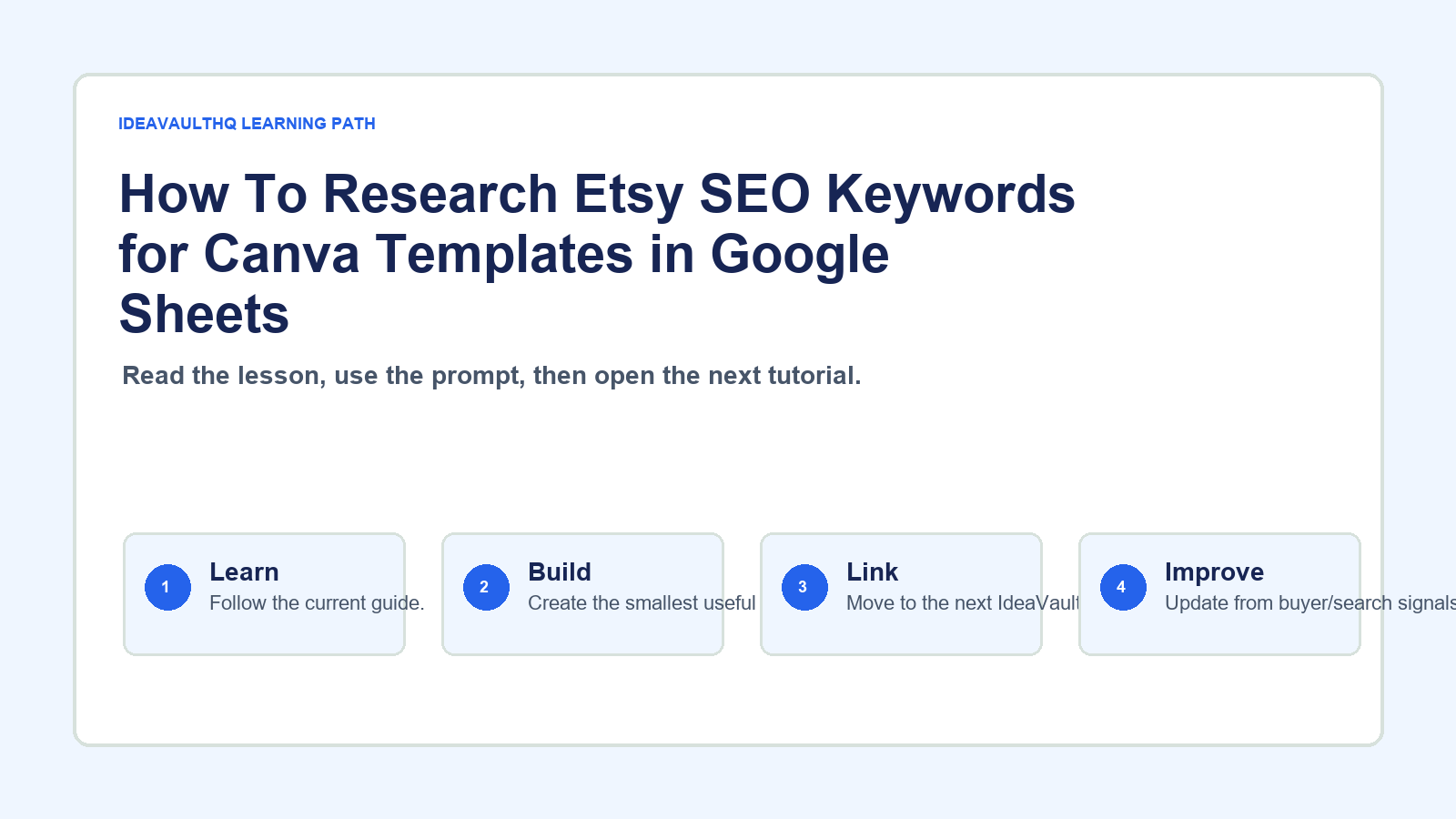
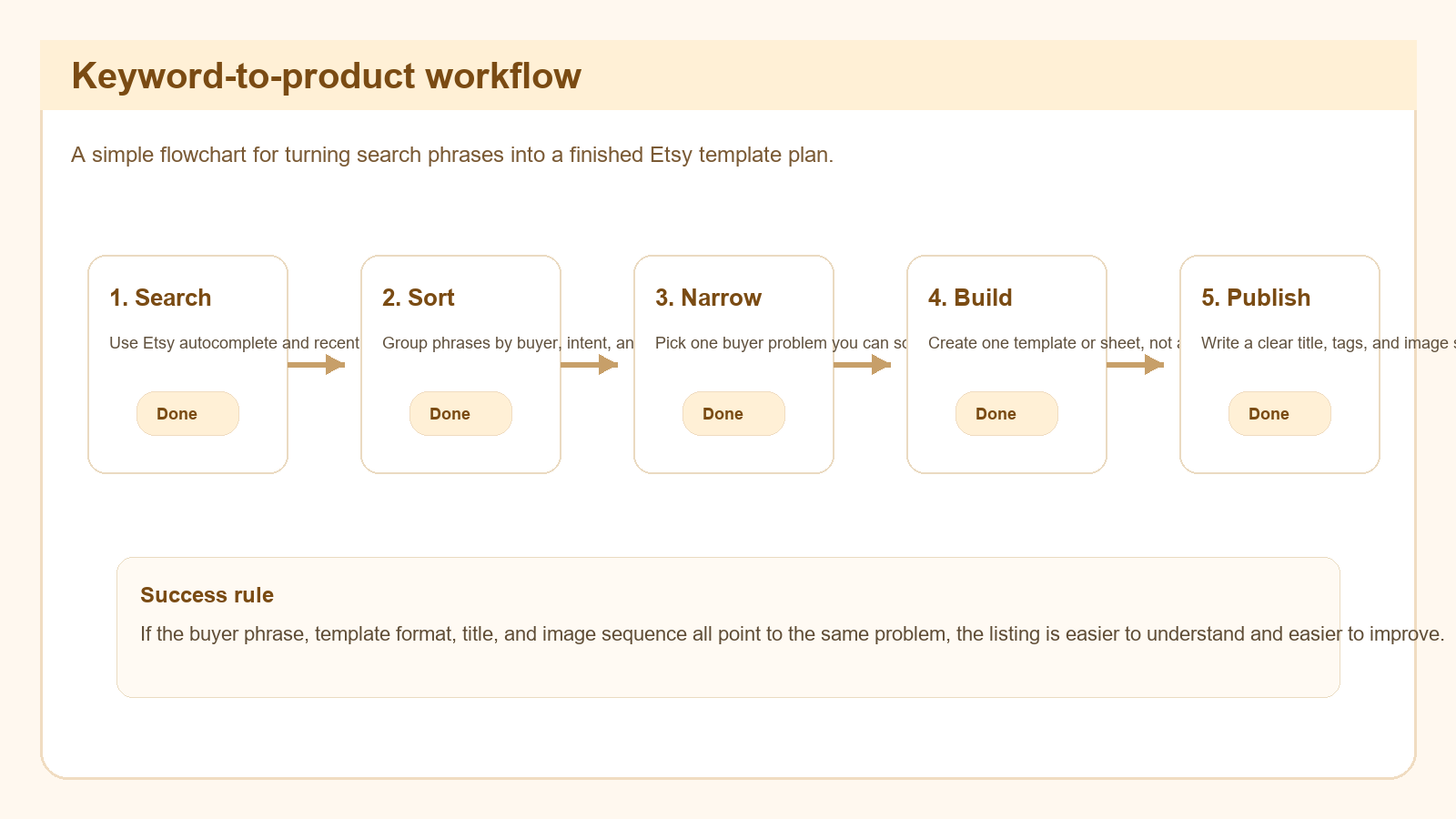
This is the practical path from reading How To Research Etsy SEO Keywords for Canva Templates in Google Sheets to turning the idea into a small testable offer.
Leave a Reply