IdeaVaultHQ Template School
How To Write Etsy Listing Titles for Canva Templates in Google Sheets
A beginner-friendly tutorial for writing clearer Etsy listing titles for Canva templates, using Google Sheets, buyer language, and current Etsy guidance.
Quick answer: The safest beginner path is to start with the buyer phrase, not the brand phrase: type a real Etsy search, copy the language buyers actually use, build three title drafts in Google Sheets, then pick the version that is clear on mobile, accurate about the file type, and easy to match with tags and images.
1. What Etsy Listing Titles Are Supposed To Do
Etsy listing titles are not decoration. They are one of the first signals that tells a buyer what your product is, who it is for, and whether it fits the search they just typed. In practice, the title has to serve two readers at once: the shopper and the search system. A shopper wants a quick answer. Etsy wants enough relevance to match the listing to a query. If the title is vague, both readers work harder than they should.
That is why the latest Etsy title guidance matters for template sellers. Etsy has been pushing clearer, more buyer-friendly titles, and seller discussions keep circling the same problem: people still want visibility, but they do not want a title that reads like a pile of disconnected keywords. The title needs to explain the product in plain language. If a buyer lands on a Canva template, the title should look and feel like a Canva template title. If the product is a spreadsheet, the title should tell them that too.
The easiest way to think about titles is simple: a title is a promise. It is not the whole listing, and it is not the whole SEO strategy. It is the promise the rest of the listing has to keep. If you get the title right, the rest of the job becomes easier because the description, tags, and first image can all support the same idea instead of fighting each other.
2. Why Canva Template Sellers Need A Title Workflow
Canva template sellers often make the same mistake in reverse. They spend a lot of time on the design and then improvise the title at the end. That usually creates one of two outcomes: a title that is too clever to be searchable, or a title that is too long and stuffed with repeating phrases. Neither is good. A buyer should not need a decoder ring to understand the listing.
A title workflow solves that problem. Instead of inventing a fresh title from scratch for every listing, you create a repeatable process. You collect buyer phrases, build a short list of title angles, test length and clarity in Google Sheets, and then choose the cleanest version. That is useful whether you sell budget planners, social media templates, Etsy listing images, or prompt packs. The product changes, but the title process stays the same.
This also helps with consistency across a shop. A shop that sells Canva templates can easily drift into mixed language: one listing says editable, another says instant download, another says template, another says guide. A workflow keeps the naming conventions tight. If the file is a template, say template. If it is a spreadsheet, say spreadsheet. If the buyer needs to copy it into Canva, say so. The more consistent you are, the easier it is for a buyer to understand what they are buying.
3. How To Collect Buyer Phrases In Etsy Search
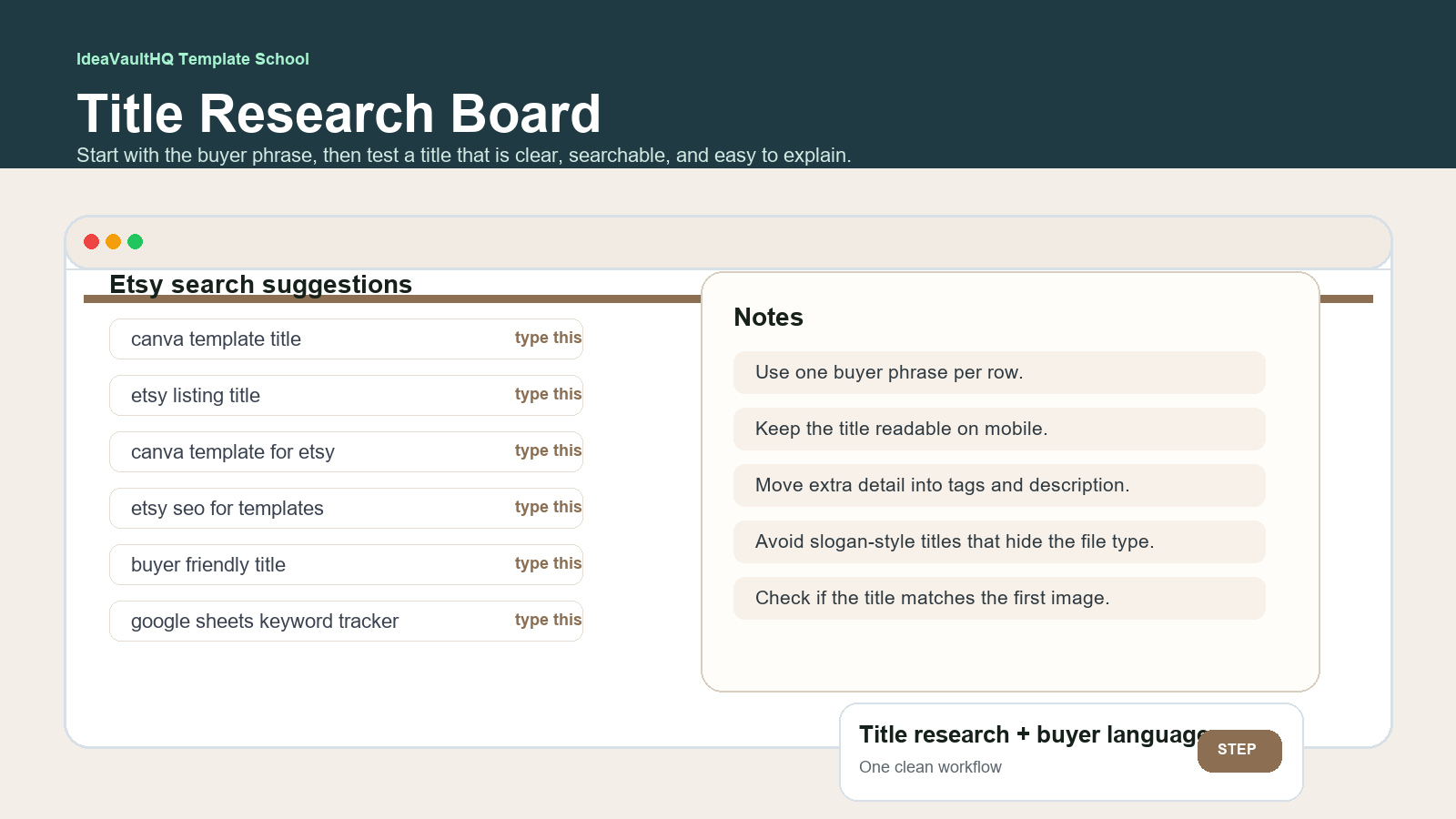
Open Etsy and type a simple buyer phrase into the search bar. Start with plain words that a real customer would use, not with a brand concept you invented. If you are selling Canva templates, try phrases like Canva template title, Etsy listing title, editable Canva template, Google Sheets title tracker, Etsy SEO for templates, or title planner for Etsy sellers. Watch the search suggestions and write them down exactly as they appear.
Do not rush this step. You are not looking for a magic keyword. You are looking for the vocabulary buyers use when they describe the problem. That vocabulary can then shape the title. For example, if you keep seeing words like editable, template, digital download, planner, and seller, you can safely assume those words matter to the buyer. If you keep seeing search suggestions around Etsy listing titles and search-friendly titles, that is a useful clue that the buyer wants clarity first and creativity second.
Take notes in a simple Google Sheets file with columns for phrase, buyer intent, format, title draft, mobile length, and notes. This keeps the process tidy. A list of phrases on its own is easy to ignore. A sheet forces you to compare. One phrase may be broader but too vague. Another phrase may be narrower but easier to explain. You are trying to find the title that matches both the product and the actual search intent.
4. Build The Title Planner In Google Sheets
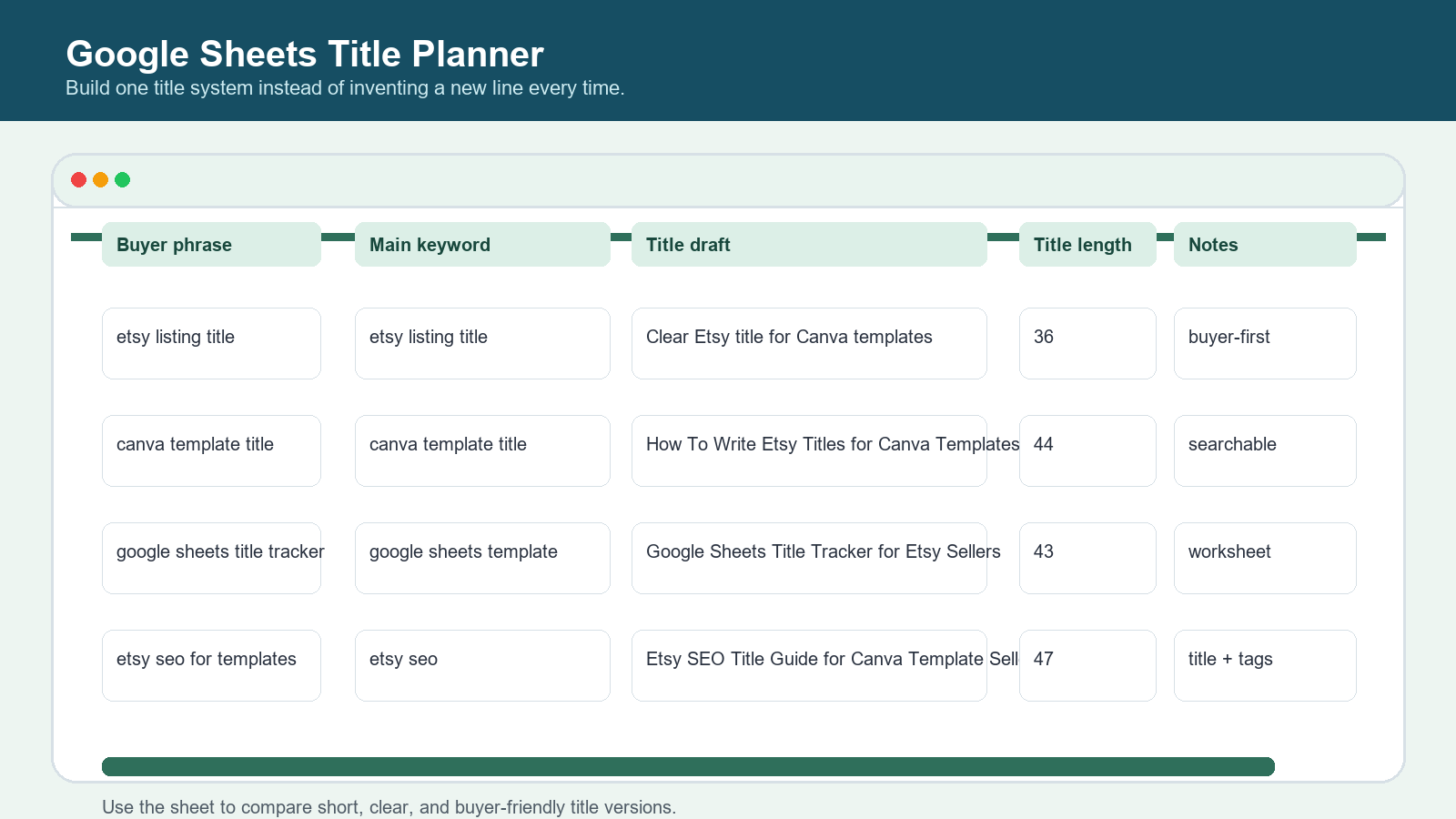
Open Google Sheets and create a title planner with at least five columns. Use Buyer Phrase, Main Keyword, Title Draft, Title Length, and Notes. If you want a sixth column, add Mobile Check. That last one is useful because a title can look fine on a desktop and still feel crowded on a phone. Since many buyers browse on mobile, the mobile check is not optional.
Put one buyer phrase per row. Then draft two or three title versions for that phrase. The first version can be more direct. The second can be a little more descriptive. The third can be shorter and cleaner. For example, you could compare: Etsy listing title for Canva templates, Google Sheets title planner for Etsy sellers, and How To Write Etsy Listing Titles for Canva Templates in Google Sheets. The point is not to crown one as “best” by instinct. The point is to compare them side by side.
Use the sheet to remove noise. If a title repeats the same idea three times, flag it. If a title sounds good but fails to name the file type, flag it. If a title is so short it hides the benefit, flag it. Over time, the sheet becomes a title library for your shop. That is especially useful if you publish several tutorials or products in the same niche and want them to feel related without sounding copy-pasted.
5. Draft Three Versions Before You Choose One
Do not settle on the first title that comes to mind. Draft at least three versions. One version should lean clear and search-friendly. One should lean descriptive and beginner-friendly. One should lean compact and readable. When you compare them, ask which version would make sense to someone who has never seen your shop before. That is often the better title.
For a Canva template shop, the title usually needs three things: the product type, the use case, and a plain-English phrase that matches the buyer language. It does not need a dramatic hook. A dramatic hook can help on social media. It usually does not help on Etsy search. Buyers are usually trying to complete a task. They want the thing that helps them complete the task with the least confusion.
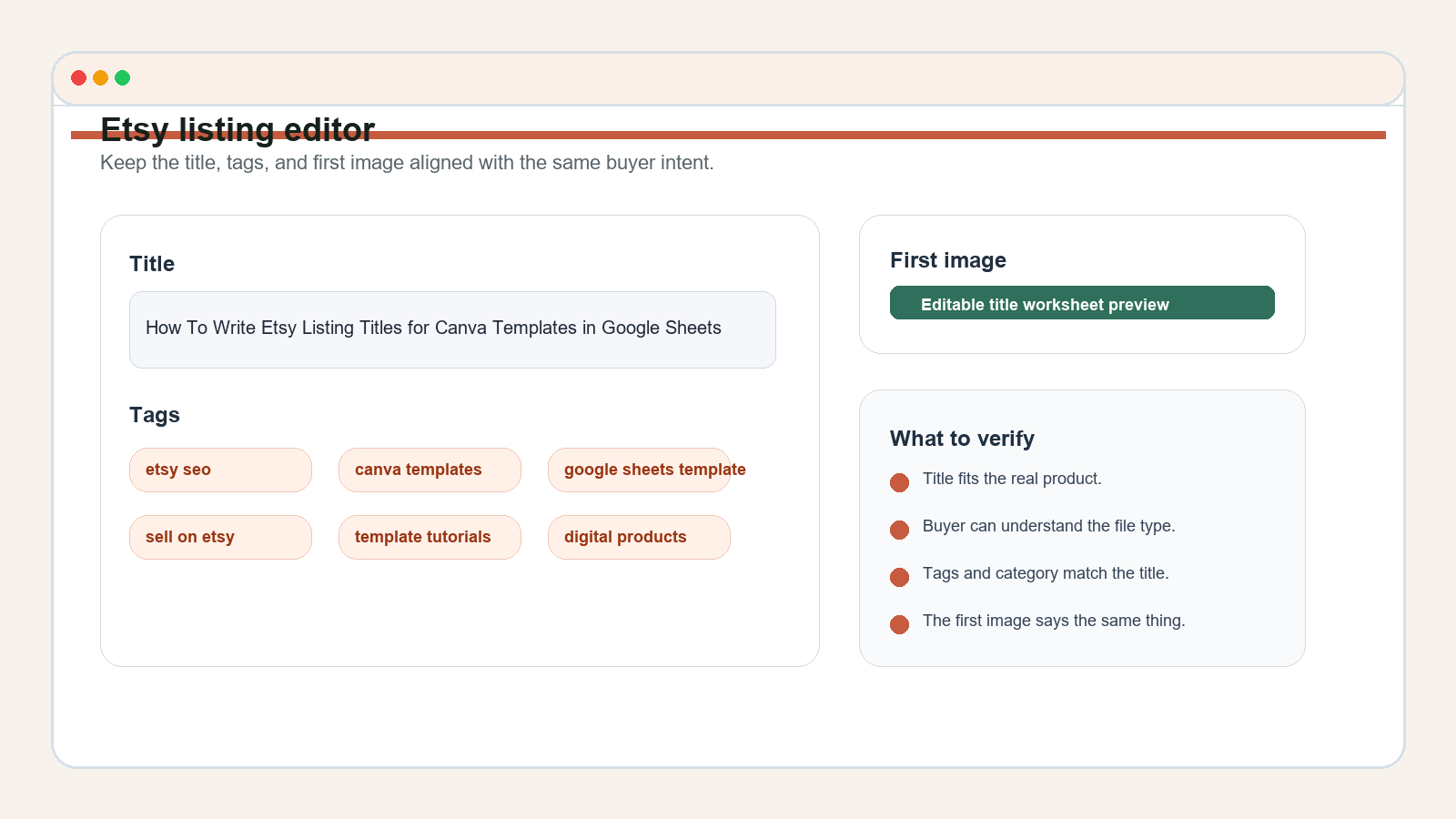
It also helps to imagine the title next to the first image. If the title says Canva template, the first image should make that obvious. If the title says Google Sheets title planner, the image should look like a spreadsheet or planning board, not a random aesthetic card. The more the title and image agree, the less work the buyer has to do to understand the listing. That makes the listing feel more trustworthy.
6. Keep The Title Clear, Not Spammy
This is where many beginners get stuck. They know they need keywords, so they try to fit every related phrase into the title. The result is usually ugly and hard to read. A spammy title might technically contain more terms, but it also makes the buyer work harder. That is the wrong tradeoff. Etsy title guidance and current seller discussion both point toward clarity, not keyword soup.
Use the title to state the product and the main use case. Move smaller details into the description and tags. If the product is editable, say editable once. If the product is for beginners, say that once. If the file is a template or a spreadsheet, say that once. Do not keep repeating the same word family just because it feels SEO-safe. Repetition can make the title look messy and can blur the main promise.
A practical test is to read the title out loud. If it sounds like a real person might search it or say it, you are close. If it sounds like it was assembled from three different product pages, simplify it. Another useful test is the thumbnail test. If the title is so long that it looks cramped in the editor, it is probably trying to do too much. Remove one layer of detail and let the description do the rest.
7. Use ChatGPT As A Title Assistant, Not A Keyword Pile Generator
ChatGPT can help, but only if you give it the right job. Do not ask it to write a random title from scratch with no context. Instead, give it your buyer phrase, your file type, your intended buyer, and the three title drafts you already made. Then ask it to improve clarity, shorten the weakest version, and identify which words should move to tags or the description. That gives you a better edit, not a generic list of buzzwords.
This is a good place to automate part of the workflow. For each new product, you can paste the same prompt, fill in the buyer phrase, and let the model generate comparison options. Then you decide which version is actually honest and useful. The human judgment still matters. You are checking accuracy, clarity, and fit. AI is only helping you compare and refine faster.
One useful rule: if the model suggests a title that sounds more exciting but less clear, ignore it. Clear usually wins over clever in this context. A buyer who sees “Editable Canva Template for Etsy Listing Titles” understands the product. A buyer who sees “Listing Launch Magic” has to guess. Guessing is what you are trying to remove.
8. Write Titles Around The Real Buyer Job To Be Done
The best title is usually the one that names the buyer’s job most clearly. A template seller is not just selling a file. They are helping a buyer save time, look more professional, or stop guessing. When the title reflects the job, the listing feels relevant. If the buyer wants a faster way to publish a shop listing, the title should hint at that outcome. If the buyer wants a title planner because they are confused by Etsy SEO, the title should say planner, SEO, or title workflow.
That is also why current demand signals matter. Sellers are still asking for simpler title guidance because many people do not want to treat listing titles like a technical puzzle. They want a repeatable process. That means your title workflow can become part of the product story. A Google Sheets title planner is not just a helper sheet. It is a productized version of the same thinking you use when you title your own template listings.
You can also turn the title workflow into a mini product family. One worksheet can help sellers draft Etsy titles. Another can help them sort title ideas by buyer intent. Another can help them compare title length and mobile readability. That creates a natural line of related products and content without leaving the topic cluster.
9. How To Publish Your First $5 Day Version
Your first goal is not to build the perfect title system. It is to make one useful version that people can actually use. A small starter offer could be a Google Sheets title planner for Etsy template sellers, a title checklist PDF, or a mini workbook that helps buyers compare short and long titles. If you want a first $5/day target, focus on the simplest version of the workflow and keep the scope narrow.
To get there, finish one sheet, one prompt, and one example title set. Then package the result cleanly. The title of the product should tell the buyer exactly what it is. The first image should show the sheet. The description should explain who it is for. The tags should reflect the same intent. That gives you a basic launchable product without months of overbuilding.
After publishing, do not edit everything at once. Watch whether the title gets clicks, whether buyers seem confused, and whether the listing image matches the wording. If the data suggests the title is too broad, refine it. If the data suggests the buyer understands the title but not the file type, tighten the first image. Improvement works best when it is one change at a time.
10. Organic Traffic And Internal Linking
Organic traffic matters because a clear title can pull in buyers who are already looking for help. A tutorial like this also works as an internal-linking piece. Someone who reads a post about Etsy listing titles may next want a post about keyword research, Canva templates, or listing images. That is why the article should sit in a topic cluster instead of standing alone. One clear guide should lead to the next useful step.
If you keep publishing in the template school lane, you can build a chain: research the idea, choose the title, create the template, make the listing images, and then improve the listing after launch. That is a better beginner path than random inspiration posts. It helps readers move forward one step at a time. It also gives search engines a clearer map of what the site covers.
The organic angle is straightforward: people search for help when they feel stuck. Titles are a common place to get stuck. A beginner who knows how to make a good product but cannot title it properly still needs help. If your tutorial answers that exact moment of confusion, it can attract readers for months, not just on launch day.
11. Risks, Warnings, And What Not To Do
Do not make the title sound more interesting than the product actually is. That creates confusion and hurts trust. Do not stuff the title with repeated keywords until it becomes unreadable. Do not copy another seller’s exact phrasing just because it looks successful. You need a clear, original title that fits your product and your buyer.
Also avoid assuming that one title change will fix a weak product. If the file is confusing, the listing images are vague, or the product does not solve a real problem, a better title will not magically rescue it. The title is one part of the system. The system has to work together. That means title, tags, image, description, and file format should all agree.
Finally, remember that titles can be improved over time. You do not need the final perfect version on day one. You need a sensible version that reflects the real offer. If the listing starts getting traffic, you will learn from behavior. If it does not, you will still have a title workflow you can reuse on the next product. That is the more valuable outcome.
12. Turn The Process Into A Repeatable Shop System
Once you write a good title for one product, save the process. Put the title planner in a folder. Keep the buyer phrases. Save the ChatGPT prompt. Save the notes about what made the title clear. That way, the next time you make a product, you are not starting over. You are repeating a process that already worked once.
This is where small template businesses start to feel real. The work stops being random. You create one sheet for title ideas, one checklist for clarity, one prompt for AI support, and one simple review step before publishing. Then every new product can move through the same path. That saves time and improves quality. It also keeps the shop identity stronger because the listings are written from the same logic.
If you do this well, the title planner itself can become a product or at least a core internal asset. You will know which phrases buyers use, which title shapes read well on mobile, and which words belong in the title versus the tags. That is useful beyond Etsy. It is the kind of practical system beginners can actually follow without getting lost.
How To Get Started Today
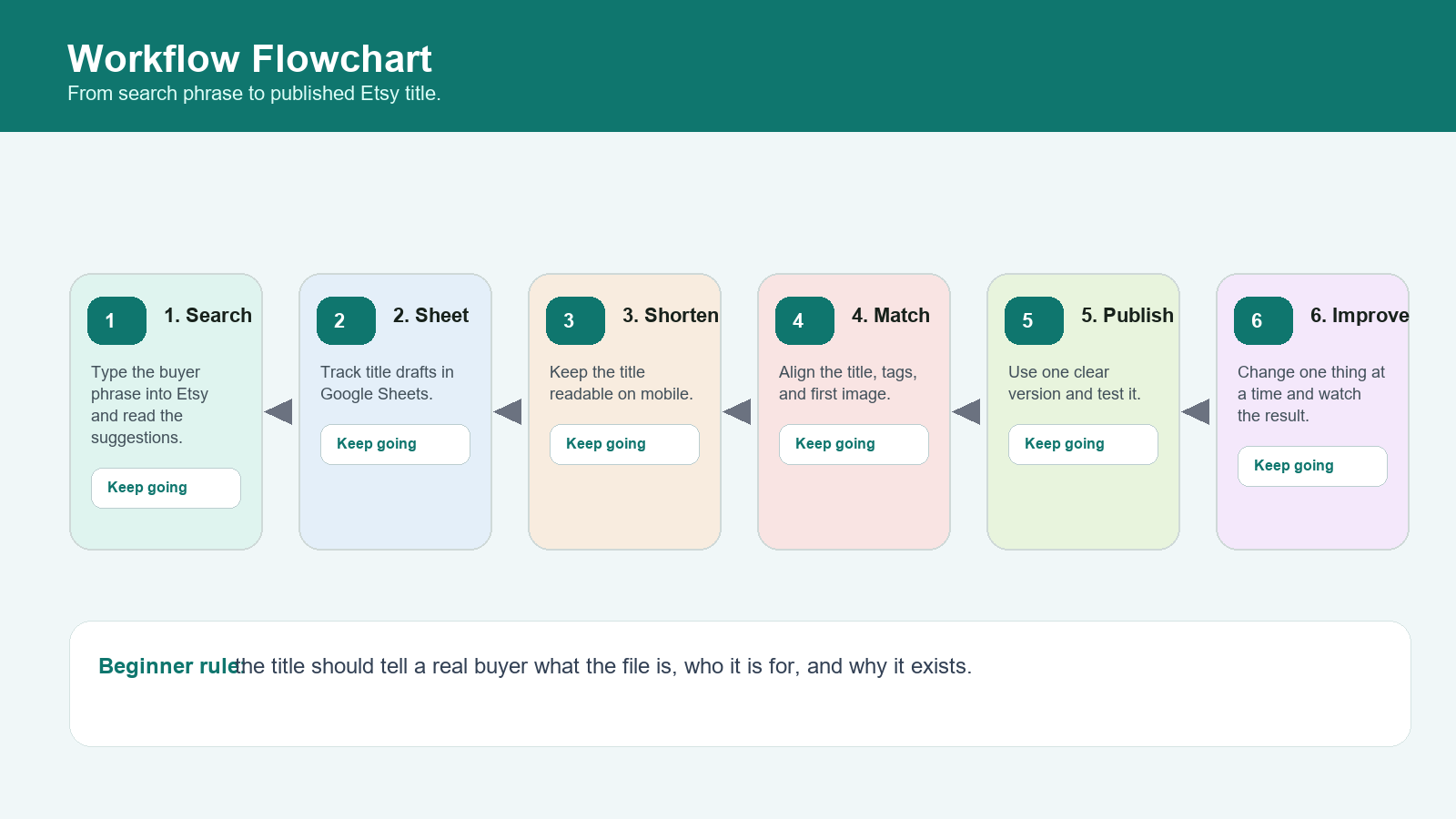
Pick one Canva template you could reasonably sell. Open Etsy and type the buyer phrase you think a real shopper would use. Write down five suggestions. Then open Google Sheets and draft three title versions. Keep one version short, one version descriptive, and one version balanced. Compare them line by line. Choose the cleanest version and make sure the first image says the same thing.
If you do only that much today, you are already ahead of the common beginner pattern of guessing. The goal is not to produce a perfect title on the first try. The goal is to stop improvising and start using a simple process. That process is what makes the next listing easier, and the one after that easier still.
Once the title is set, write the description, check the tags, and publish or revise the listing with one clear intent. Then keep the sheet. You will need it again.
Copy-Paste ChatGPT Prompt
Use this prompt after you collect your own buyer phrases and rough title ideas. It is designed to help you refine, not to generate spam.
You are helping me write Etsy listing titles for a Canva template shop.

Here is the product:
- Buyer phrase:
- File type:
- Main use case:
- Audience:
- Words I want to avoid:

Please do all of the following:
1. Write 5 title options that are clear, buyer-friendly, and not spammy.
2. Rank them from clearest to least clear.
3. Tell me which words should stay in the title and which should move into tags or the description.
4. Suggest one short mobile-friendly title and one slightly longer search-friendly title.
5. Explain why the best title is honest about the product.

Rules:
- Do not stuff keywords.
- Do not invent urgency or hype.
- Keep the title accurate and easy to read.
- Match the title to the actual file I am selling.
How To Get Started Today
- Open Etsy and type one buyer phrase into the search bar.
- Write down the exact suggestions you see in a simple Google Sheets tab.
- Draft three title versions: short, medium, and very clear.
- Check that the title matches the file type, the first image, and the category.
- Publish one version, then change only one thing at a time if you need to improve it.
Beginner Checklist
- One buyer phrase is listed in the sheet before you write anything.
- The title tells the buyer what the file is, not just what it feels like.
- The title draft sounds natural when read out loud.
- The title, tags, and first image all point to the same use case.
- Extra detail is moved into the description and tags when needed.
- You checked current Etsy guidance before finalizing the wording.
- You wrote down at least one original angle so the title is not copied from another seller.
Copy-Paste ChatGPT Prompt
You are helping me write Etsy listing titles for a Canva template shop.

Here are my notes:
- Buyer phrase:
- Product type:
- Main benefit:
- File format:
- Style:
- Words I want to avoid:

Tasks:
1. Write 5 title options that are clear, buyer-friendly, and not spammy.
2. Rank them from most searchable to most human.
3. Tell me which words should stay in the title and which should move to tags or description.
4. Suggest one title version for beginners, one for experienced buyers, and one shorter version for mobile shoppers.

Rules:
- Do not invent fake urgency.
- Do not stuff keywords.
- Keep the title easy to understand on the first read.
- Match the title to the actual file I am selling.
Current Sources Checked For This Tutorial
- Etsy Seller Handbook: New Guidance for Listing Titles, and a Tool to Help
- Etsy Seller Handbook: The Ultimate Guide to Etsy Search
- Etsy Seller Handbook: The Anatomy of a Well-Crafted Etsy Listing
- Etsy Help: How to Manage Your Digital Listings
- Canva Help: create and edit spreadsheets in Canva
- Canva Help: create designs in bulk
- Public demand signal: Etsy title guidance discussion
- Public demand signal: Etsy SEO and clarity discussion
Continue Learning On IdeaVaultHQ
This tutorial is part of the IdeaVaultHQ Template School path. Use these links to keep moving instead of stopping on one lesson.
- IdeaVaultHQ home page
- How To Research Etsy SEO Keywords for Canva Templates in Google Sheets
- How To Use Canva Bulk Create to Make Etsy Listing Images Faster
- Template Tutorials
- Sell On Etsy
- Google Sheets Templates
- Digital Products
Idea Tags
Continue Learning On IdeaVaultHQ
This guide is part of the IdeaVaultHQ Template School path. Use the links below to keep moving instead of stopping on one article.
Success Diagram For This Idea
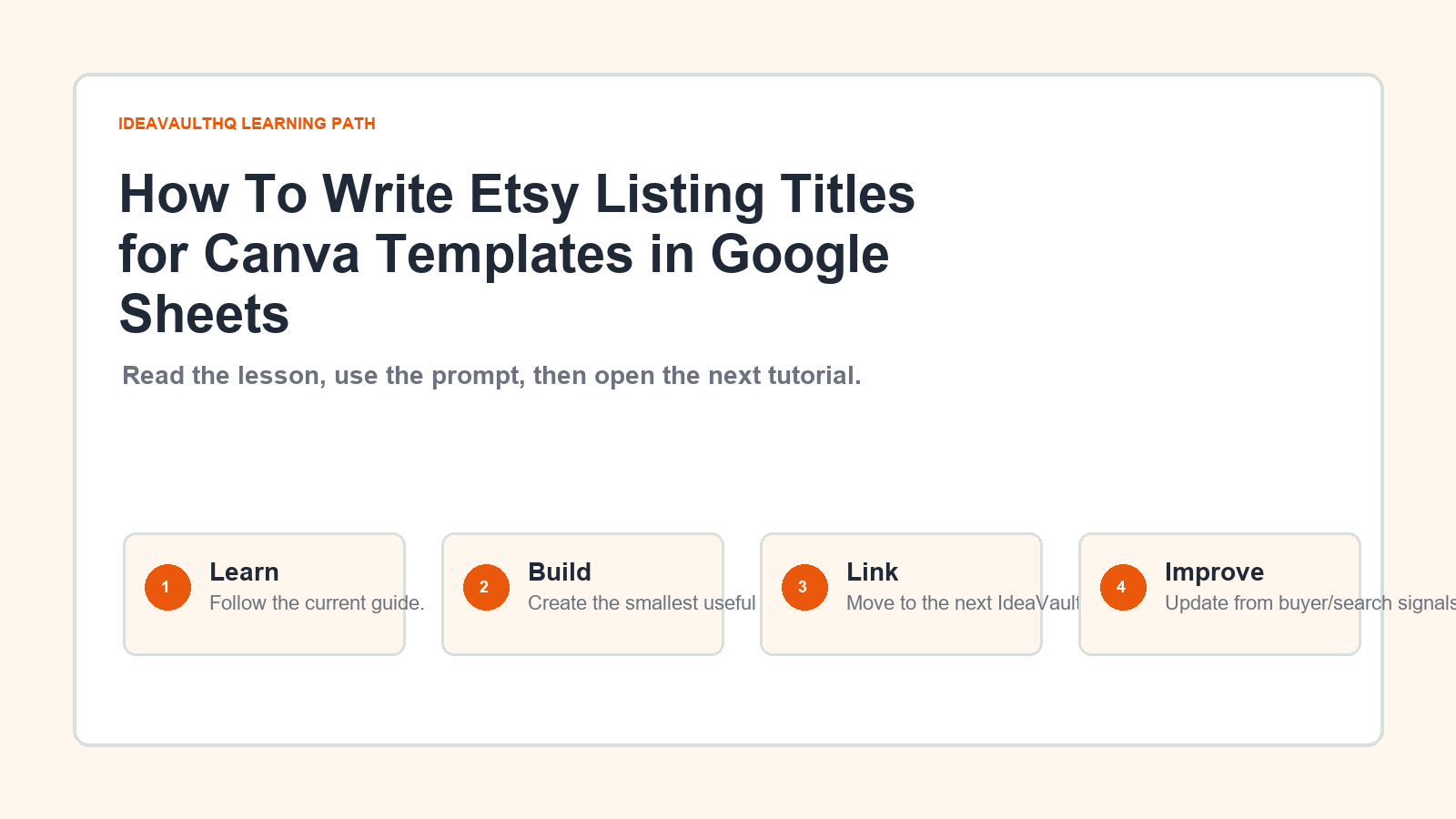
This is the practical path from reading How To Write Etsy Listing Titles for Canva Templates in Google Sheets to turning the idea into a small testable offer.
Leave a Reply