IdeaVaultHQ Template School
How To Build a Canva Template Idea Scorecard in Google Sheets for Etsy Sellers
This tutorial shows beginners how to build a Canva template idea scorecard in Google Sheets, use current demand signals without copying anyone, and turn market notes into one original digital product angle. The goal is not to chase noise. The goal is to make the market easier to read so you can build something clear, useful, and distinct.
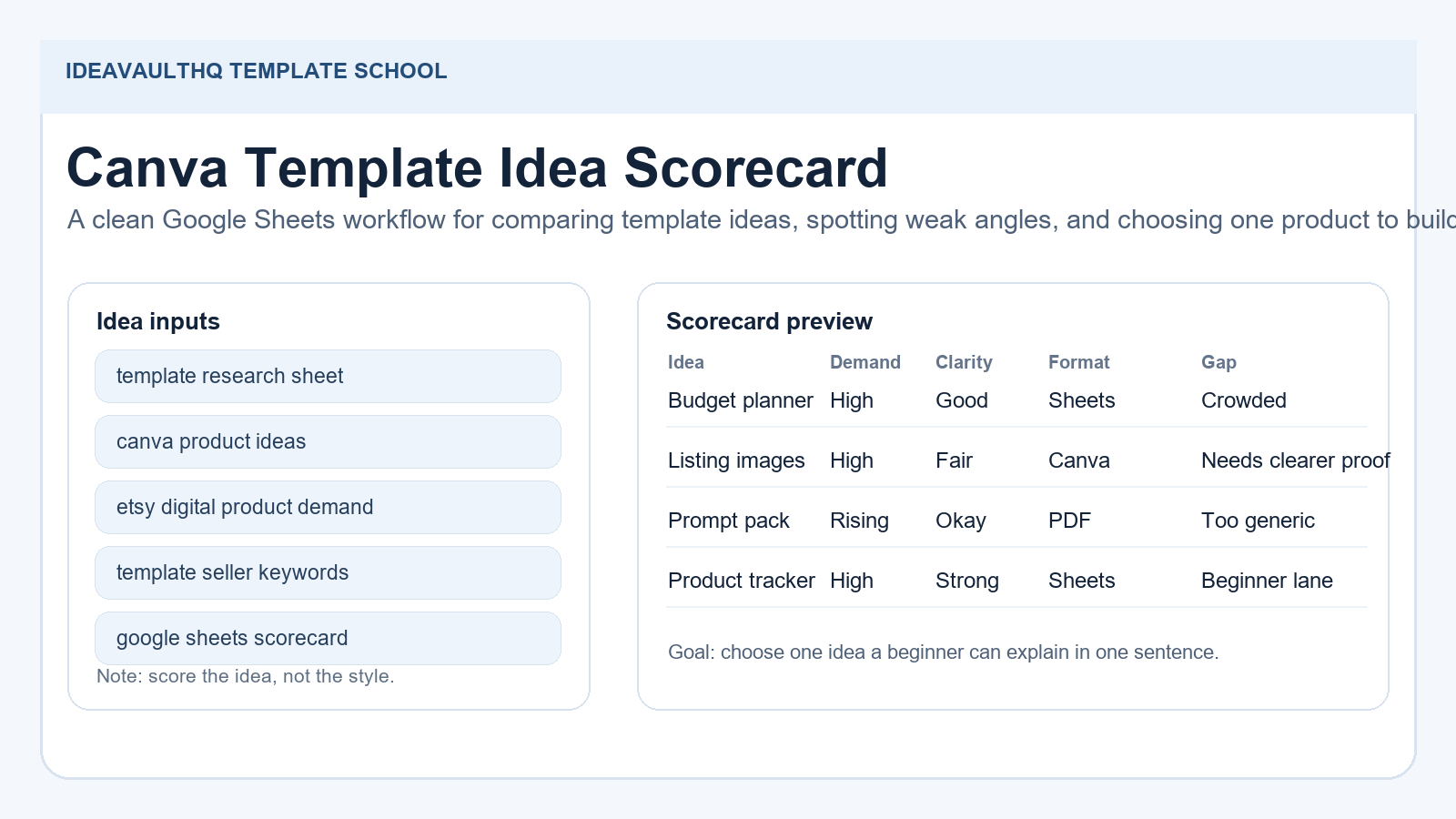
Quick answer: Build one spreadsheet that collects search phrases, product ideas, demand clues, file formats, buyer promises, and visible gaps. Score each idea against the same criteria. Then turn the strongest gap into one beginner-friendly product brief. If you can explain the gap in one sentence, you are ready to build.
Workflow Map
Step 1: Read Current Demand Before You Name The Spreadsheet
Etsy already gives you demand clues if you know where to look. Current marketplace pages show people searching for product research templates, template scorecards, and related digital downloads. Public seller discussions also keep coming back to one practical truth: keyword-first research matters, and the products that perform best are often the ones built after someone looked at search behavior first. That is the real reason this tutorial exists. A spreadsheet is not just a file; it is a way to stop guessing.
Official Etsy guidance backs that up. Etsy says search depends on keywords in titles and tags, plus categories, attributes, conversion signals, and customer service quality. Etsy also highlights Marketplace Insights, Etsy Stats, and listing title suggestions as tools sellers can use to get smarter about what buyers are already looking for. That means your scorecard should not only track product ideas. It should help you understand why those ideas are visible in the first place.
The beginning is simple: choose one buyer group and one product family. For this tutorial, the buyer group is beginner Etsy template sellers. The product family is Canva-based digital products. That focus keeps the sheet narrow enough to use and broad enough to uncover real gaps. You are not studying every Etsy shop on the platform. You are studying the cluster your next product would actually compete in.
Step 2: Create The Workbook Structure Before You Start Scrolling
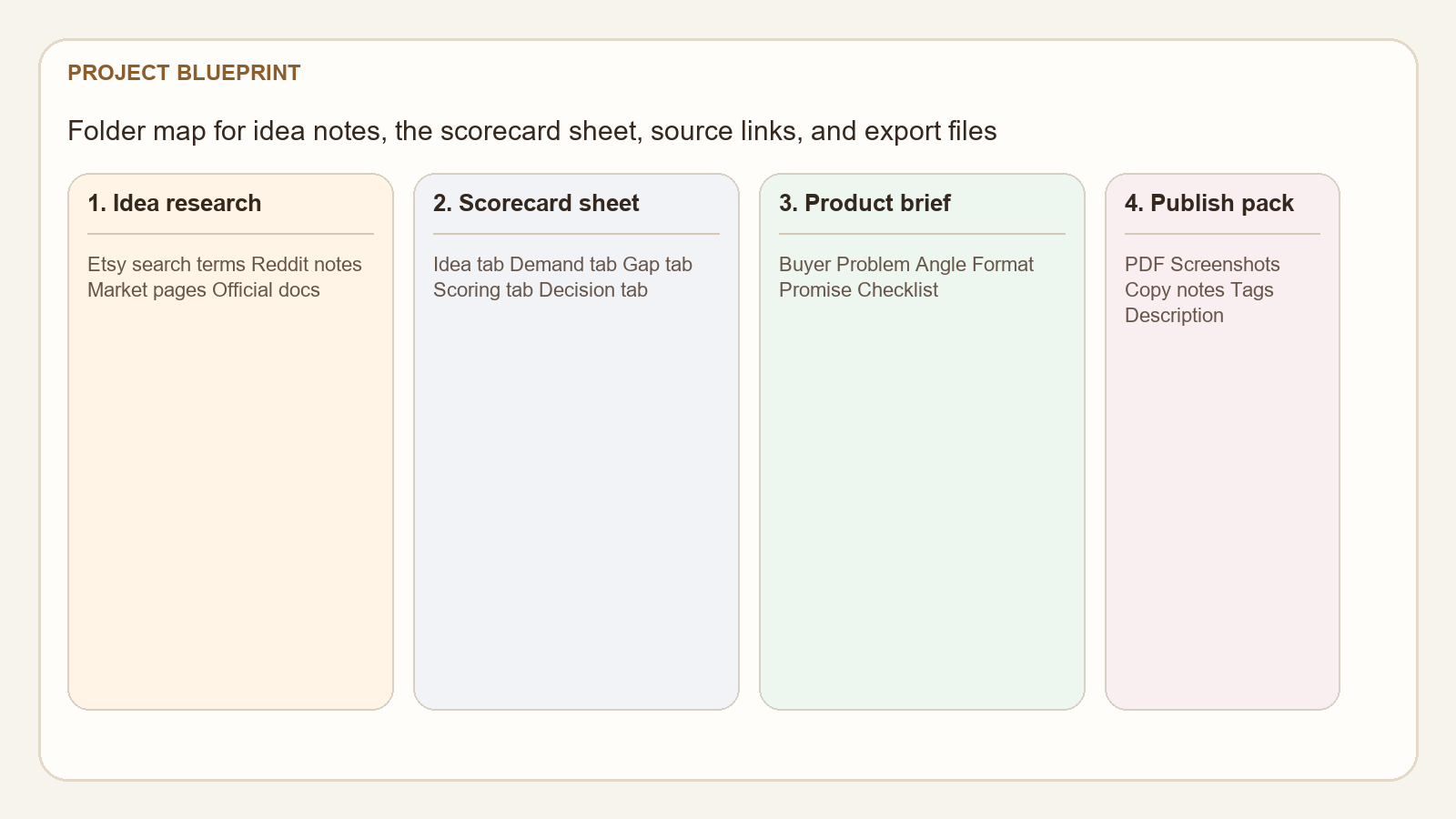
Open Google Sheets and create one workbook with six tabs: Search Terms, Ideas, Price & Format, Gap Scorecard, Product Brief, and Notes. That structure matters because it forces you to separate observation from judgment. If everything lives in one giant page, you will either forget the details or overthink them. The tabs are a guardrail.
In Search Terms, record the buyer phrases you would type as a shopper. In Ideas, record the idea name, source, URL, and the first image promise. In Price & Format, note whether the item is a PDF, Canva template, Google Sheets file, bundle, or printable. In Gap Scorecard, score clarity, uniqueness, beginner-friendliness, and visual explanation. In Product Brief, write the one product you might build. In Notes, keep anything you are tempted to copy so you can rewrite it in your own words later.
The workbook should not feel like a corporate dashboard. It should feel like a working notebook. A good research sheet is simple enough that you can fill it out while thinking, not after the fact. If a column is hard to use, remove it. The best template creators do not ask the sheet to do too much on day one.
Step 3: Search Etsy Like A Buyer, Not Like A Seller Trying To Rank
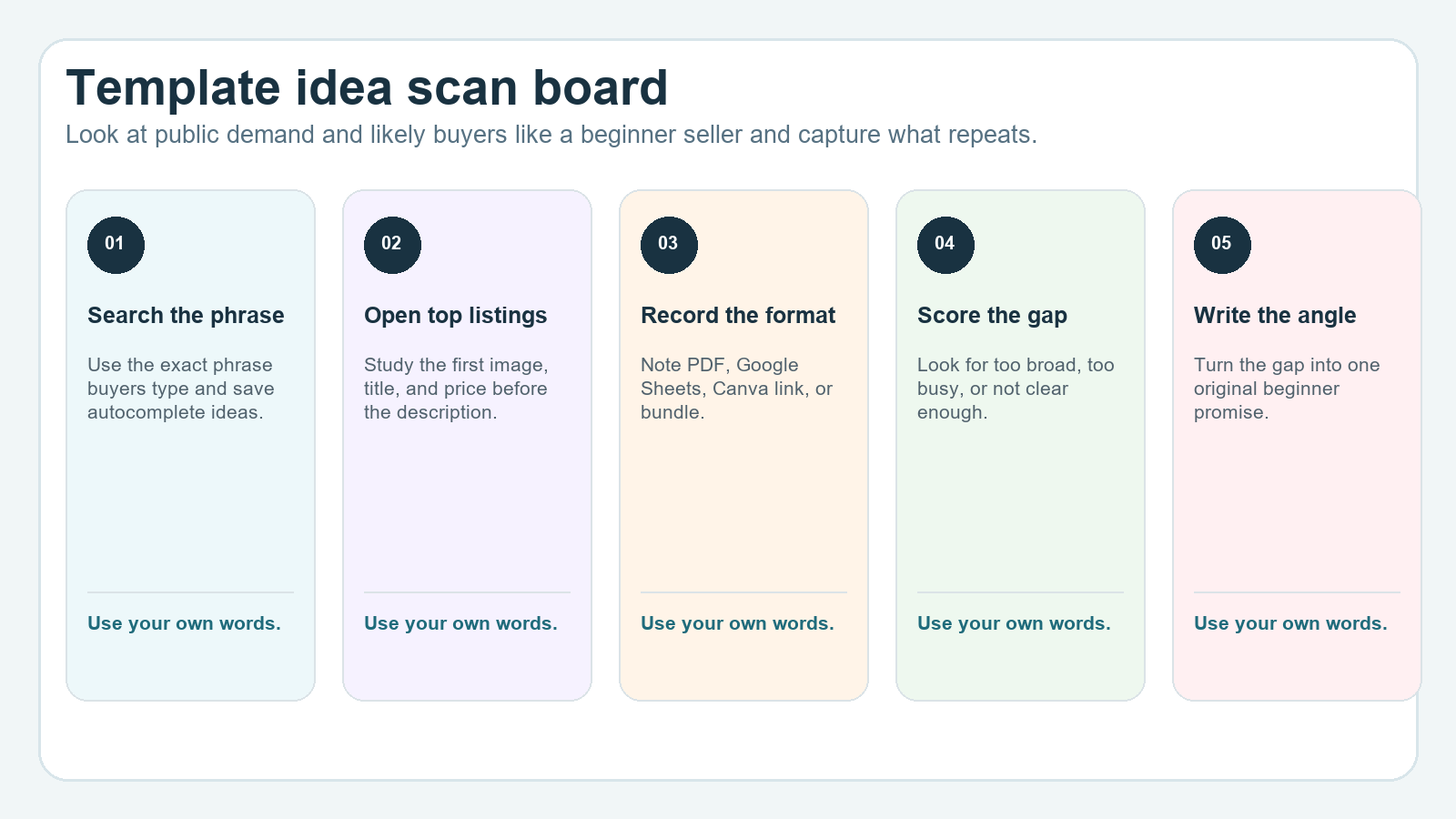
Start with search phrases a real buyer would use. Try terms like product research template, template scorecard, Etsy product tracker, digital product ideas, Etsy seller tracker, template market research, and Google Sheets product research. Then use Etsy autocomplete, the first page of results, and the related listings around those terms. You are not looking for a perfect keyword list yet. You are looking for repeated wording and repeated product patterns.
Open a handful of listings and write down the visible facts before you read the descriptions. What is the first image promising? Is the product instantly understandable? Is the price shown as a single file, a bundle, or a premium pack? Does the listing show a spreadsheet, a mockup, a printable, or a Canva link? Those visible clues matter because they tell you what the buyer is expected to understand in five seconds.
Then scroll carefully and note the language sellers use to sell the idea. Some listings will focus on organization. Some will focus on profitability. Some will focus on saving time. Some will focus on being beginner-friendly. This is where your opportunity appears. If most listings speak in vague business language, a simpler beginner-first angle may be easier to understand and easier to sell.
Step 4: Log What The Idea Actually Shows, Not Just What It Claims
Scorecard research becomes useful when you log the visible parts of the listing, not just the headline. Add columns for promise, format, image style, thumbnail readability, price, and proof signals. Promise is the one-sentence benefit the listing seems to make. Format is the file type or delivery method. Image style is whether the listing uses mockups, screenshots, or abstract graphics. Thumbnail readability is whether you can understand the product at small size. Proof signals are reviews, sales language, or other clues that the market trusts the format.
For example, a product research template may look polished but say very little about how to use it. A scorecard spreadsheet may be strong on logic but weak on visuals. A bundle may feel comprehensive but too busy for a beginner. Those are not random observations. They are the raw ingredients of an original product angle. Every time you notice a weakness, you are moving closer to a better first version.
Keep the notes literal. Write things like “first image says it is a template, but not what problem it solves” or “pricing seems low, but screenshots do not explain the workflow.” That kind of observation is more useful than a generic note like “looks good.” Generic notes do not help you design anything. Literal notes do.
Step 5: Score Listings With The Same Criteria Every Time
A spreadsheet matters because it forces consistency. Pick four to six criteria and use them for every listing. For this tutorial, use clarity, beginner-friendliness, format fit, price fit, visual explanation, and originality room. Give each item a 1 to 5 score. Do not obsess over perfect math. The goal is comparison, not scientific truth.
Clarity asks whether the buyer can understand the product immediately. Beginner-friendliness asks whether someone new can use it without a long learning curve. Format fit asks whether the file type matches the problem. Price fit asks whether the offer seems reasonable for what it includes. Visual explanation asks whether the images do the teaching. Originality room asks whether there is a gap you can own without pretending to invent a new category.
When you finish scoring, sort the rows by the strongest overall pattern. You may find that the best ideas are not the most popular-looking ones. A cleaner, smaller, more specific product often wins because buyers understand it faster. That is exactly why a spreadsheet is useful: it shows you when “more” is actually less helpful.
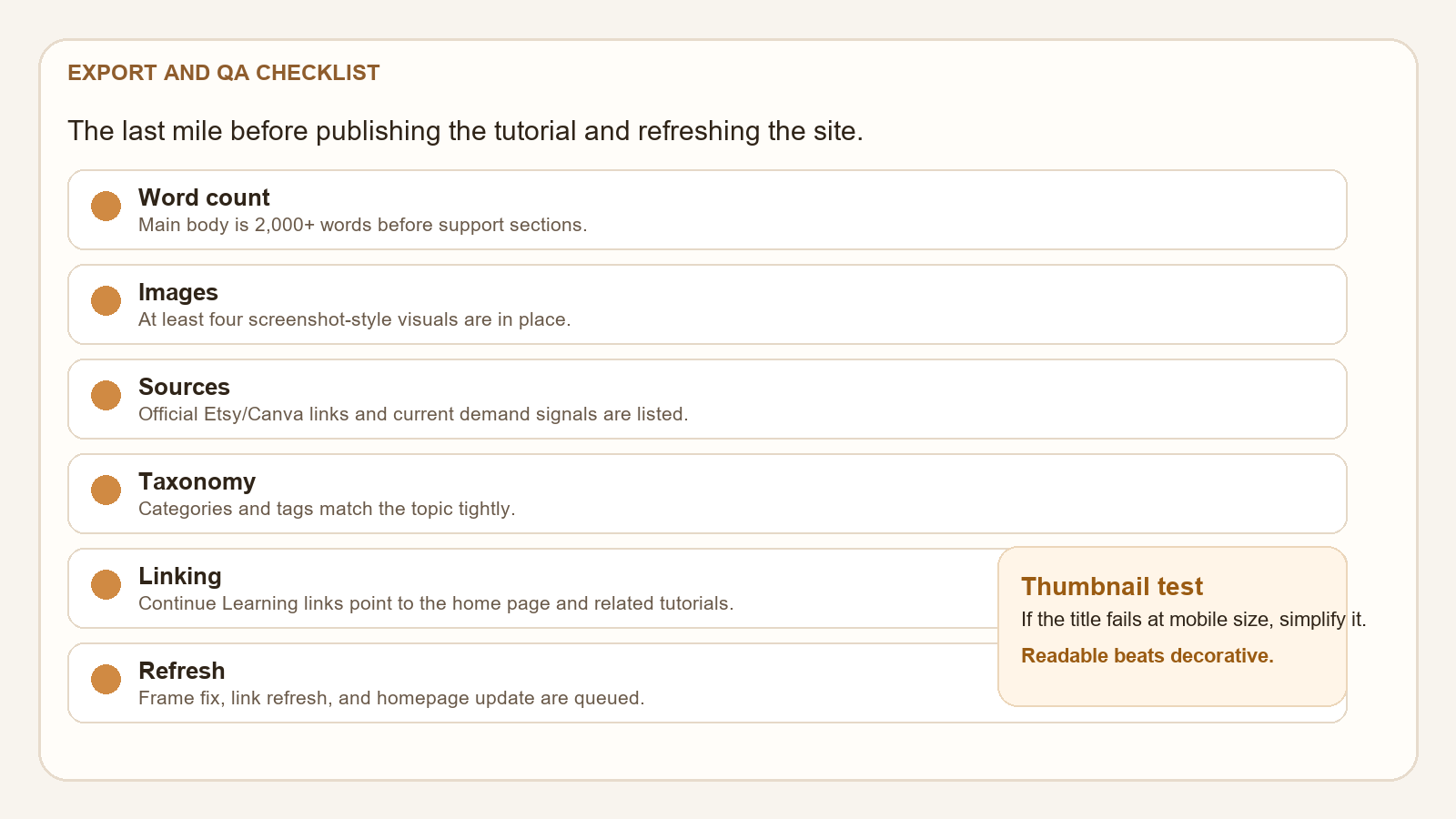
Step 6: Turn The Best Gap Into One Original Product Angle
Do not jump from research straight to design. First, turn the best gap into a sentence that explains the market problem. Example: “Most template idea scorecards are either too broad or too advanced for a new Etsy seller, so my version should be a plain-English Google Sheets tracker that helps beginners compare ideas quickly.” That sentence becomes your product direction.
An angle is not the same as a niche. The niche is Etsy digital products. The angle is a beginner-first scorecard with simple scoring and a decision tab. You could also angle it toward printable sellers, Canva template sellers, or spreadsheet sellers, depending on what your notes reveal. The key is to make the buyer feel understood. If the seller has to decode the product, the product is not ready.
When you narrow the angle, check whether it can become a real listing. Can you explain what the buyer gets in one sentence? Can you show the file in five images? Can you describe the workflow without using jargon? If the answer is yes, the angle is strong enough to build. If the answer is no, the idea is still too vague.
Step 7: Write The Product Brief Before You Open Canva Or Design Anything
Your product brief should include the buyer, the problem, the file format, the promise, the included tabs or pages, the visual style, and the reason the product is different. Keep it short. The brief is a decision tool, not a manifesto. If it gets long, you will start designing around ideas that do not matter.
For this tutorial, the buyer could be “beginner Etsy sellers who want to test digital product ideas without guessing.” The problem is “they need a simple way to compare ideas before they build.” The format is “Google Sheets template with a PDF guide.” The promise is “compare ideas, spot gaps, and choose one product angle.” The visual style is “clean, worksheet-like, blue and cream, easy to read.” The difference is “plain-English scoring instead of a cluttered business dashboard.”
Once the brief is written, save it in the Product Brief tab and in a plain text file. That way the brief becomes part of your workflow. If you later build the actual template, the brief helps you stay honest. If the design starts drifting into extra features, the brief brings it back to the original promise.
Step 8: Use ChatGPT To Summarize Patterns Without Copying Anyone
ChatGPT is useful here if you feed it your own notes. Do not paste a competitor listing and ask the model to rewrite it. Instead, paste your sheet entries and ask for pattern analysis. Ask it to group the market by buyer problem, identify the clearest product opportunities, and suggest one original angle for beginners. That keeps the tool on the right side of the line.
A strong prompt can also help you turn rough notes into a draft product brief. It can summarize repeated phrases, highlight image patterns, and suggest simple tab structures for your future template. The point is not to outsource judgment. The point is to move from a messy sheet to a cleaner summary faster.
If the AI response is generic, use it as a prompt to ask better questions. Ask what the buyer needs first, what the competitor is not explaining, and what one-file solution would help a beginner understand the product. Generic output is a sign to tighten the prompt, not a sign that the workflow is broken.
Step 9: Know When Research Is Finished And Move To Building
Research is finished when you can answer five questions without guessing: who is the buyer, what do they want, what format do they expect, what are similar ideas missing, and what makes your version simpler or clearer? If you can answer those questions, stop researching. More notes will not make the product automatically better. At some point, the missing piece is not information. It is execution.
This is where many beginners stall. They keep adding columns because it feels productive. It is not. If the sheet already points to one clear product angle, use it. Build the template, write the listing, and publish the first version. The first version does not need to be perfect. It needs to be coherent, original, and easy to explain.
The smartest use of scorecard research is not to clone the market. It is to understand the market well enough to offer a cleaner answer. That is the reason this spreadsheet exists. It gives you a repeatable way to spot gaps and convert them into something a buyer can actually use.
Step 10: Keep The Sheet Alive After Launch
After the product is published, keep the sheet open and update it with what you learn from the listing. Did buyers respond to the title? Did the first image do enough explaining? Did people seem to want a different format? Did the market landscape shift? Your scorecard should evolve into a lightweight operating document, not a one-time exercise.
That ongoing habit is where template businesses get better. The same Google Sheets file can later hold product ideas, title tests, image notes, and buyer feedback. It becomes a small market memory system. If you come back to the same niche later, you will not start from zero. You will already know which promises felt too broad and which ones felt right.
If you want a simple rule, use this one: every time you publish a new product, add one row to the scorecard with what you learned. Over time that becomes your edge. You stop reacting to the market and start reading it.
Beginner Checklist
- Pick one buyer group and one product family before you start searching.
- Create tabs for search terms, ideas, pricing, scoring, product brief, and notes.
- Record what the first image promises before reading the full description.
- Score clarity, beginner-friendliness, format fit, price fit, visual explanation, and originality room.
- Turn the best gap into a one-sentence product angle.
- Write the product brief before opening Canva or building the template.
- Use ChatGPT only with your own notes, not copied listings.
- Stop researching when you can explain the buyer and the gap clearly.
Copy-Paste ChatGPT Prompt
Use this after you fill out your scorecard with your own notes.
You are my Etsy template idea research assistant.

Here are my notes from current Etsy listings, search phrases, and market observations:
[paste your own notes here]

Help me:
1. Group the notes by buyer problem.
2. Identify the 5 clearest product opportunities.
3. Point out which listings feel too broad, too busy, or too advanced for beginners.
4. Suggest one original angle for a beginner-friendly product.
5. Write a short product brief for that angle.
6. Suggest a simple Google Sheets tab structure for the scorecard file.

Rules:
- Do not copy any listing title or description.
- Do not promise sales or income.
- Keep the answer beginner-friendly and practical.
- Focus on clarity, not hype.
-- Give me a result I can use to build one original template.Current Sources Checked For This Tutorial
- Etsy Seller Handbook: New Guidance for Listing Titles, and a Tool to Help
- Etsy Seller Handbook: Keywords 101
- Etsy Seller Handbook: The Ultimate Guide to Etsy Search
- Etsy Help: Search Engine Optimization for Shop and Listing Pages
- Canva: Etsy size guide
- Canva Help: Apply locks to Brand Templates
- Recent public discussion: crowded digital products and the need to solve a real problem
- Recent public discussion: sellers asking whether digital products are still worth it
Continue Learning On IdeaVaultHQ
This guide is part of the IdeaVaultHQ Template School path. Use the links below to keep moving instead of stopping on one article.
Success Diagram For This Idea
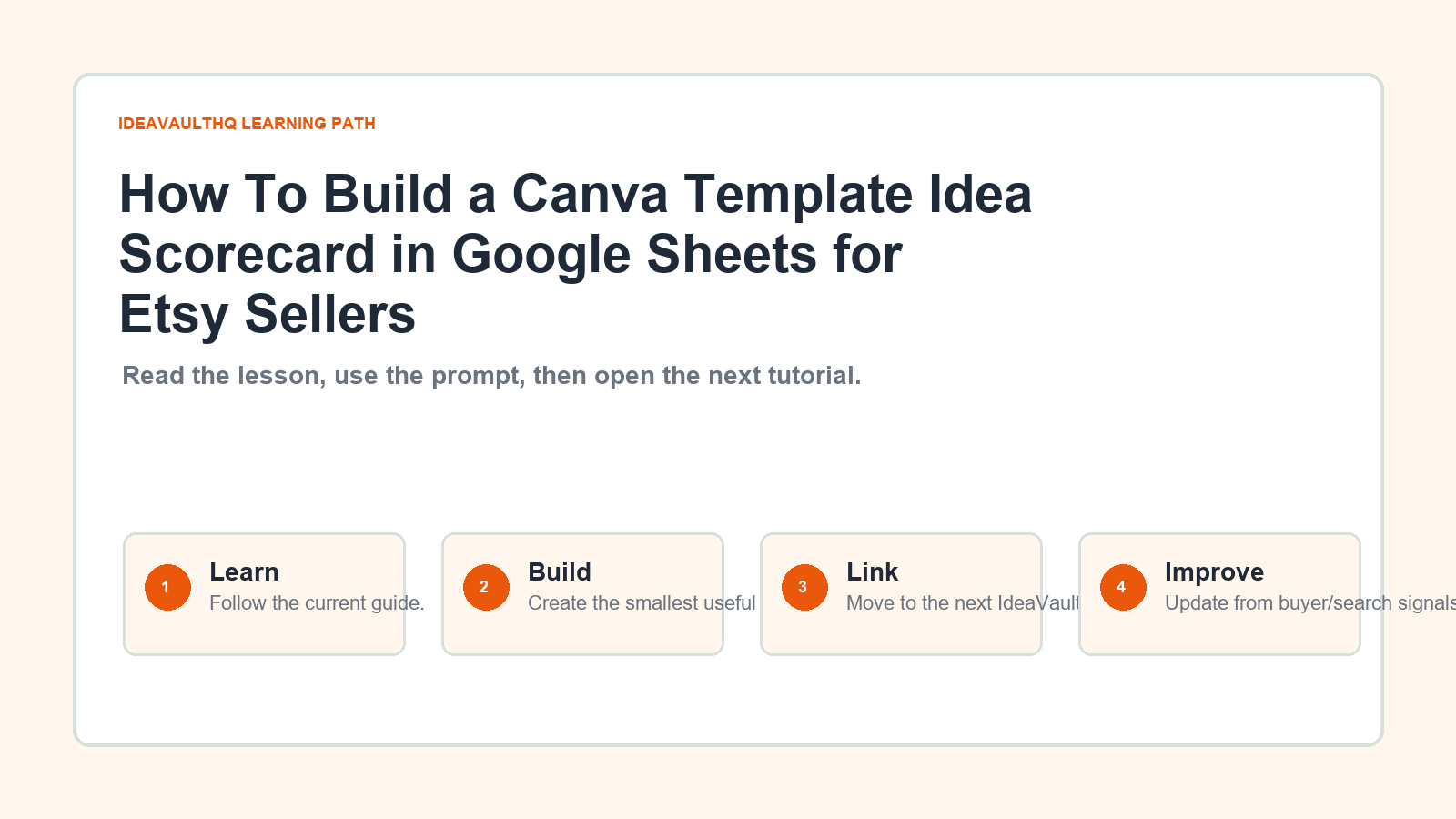
This is the practical path from reading How To Build a Canva Template Idea Scorecard in Google Sheets for Etsy Sellers to turning the idea into a small testable offer.
Leave a Reply